NAGA PRO User Manual
17
4. Time
5. Return
6. Back to the main surface
7. Background task management/split screen button
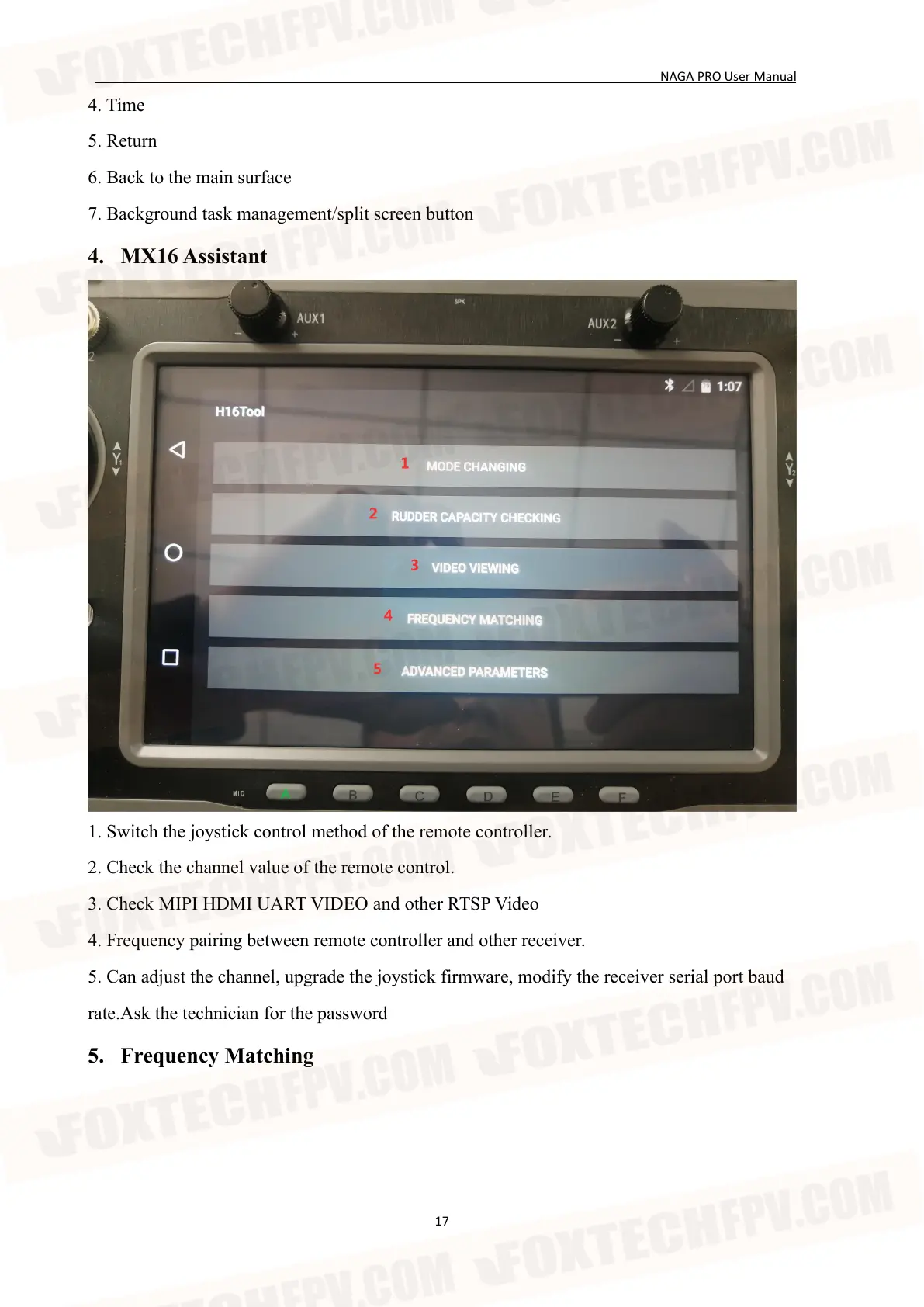
4. MX16 Assistant
1. Switch the joystick control method of the remote controller.
2. Check the channel value of the remote control.
3. Check MIPI HDMI UART VIDEO and other RTSP Video
4. Frequency pairing between remote controller and other receiver.
5. Can adjust the channel, upgrade the joystick firmware, modify the receiver serial port baud
rate.Ask the technician for the password
5. Frequency Matching


 To Next Page