NAGA PRO User Manual
37
4.2.3 Compass Calibration
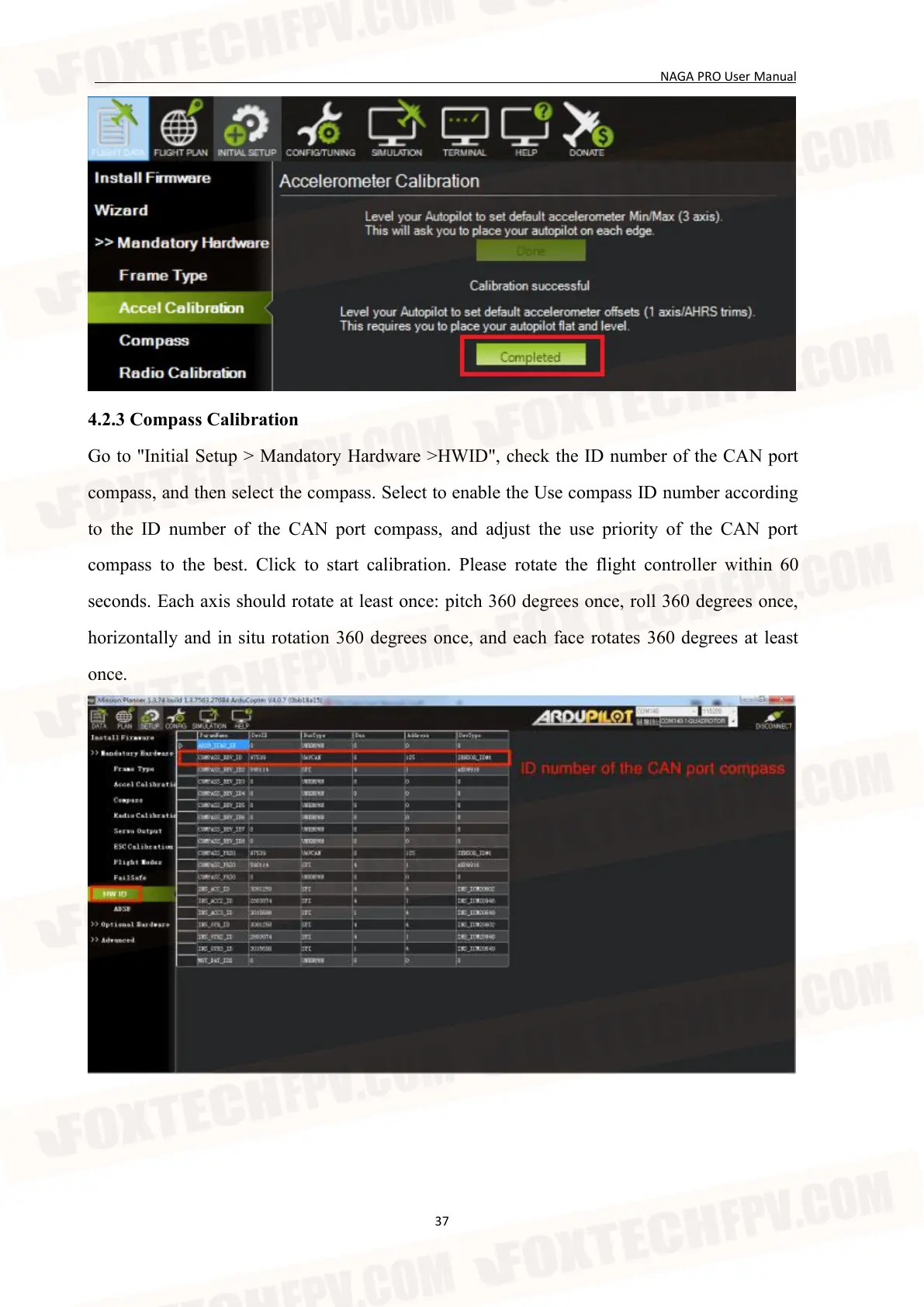
Go to "Initial Setup > Mandatory Hardware >HWID", check the ID number of the CAN port
compass, and then select the compass. Select to enable the Use compass ID number according
to the ID number of the CAN port compass, and adjust the use priority of the CAN port
compass to the best. Click to start calibration. Please rotate the flight controller within 60
seconds. Each axis should rotate at least once: pitch 360 degrees once, roll 360 degrees once,
horizontally and in situ rotation 360 degrees once, and each face rotates 360 degrees at least
once.


 To Next Page