NAGA PRO User Manual
24
①The factory default mode is HDMI/MIPI, used to display image transmitted via receiver
MIPI/HDMI
②UART VIDEO Mode to display single-axis gimbal camera and MINI camera
images(only applicable to 680 device)
③Custom mode, display the image transmitted through the air unit Ethernet port.
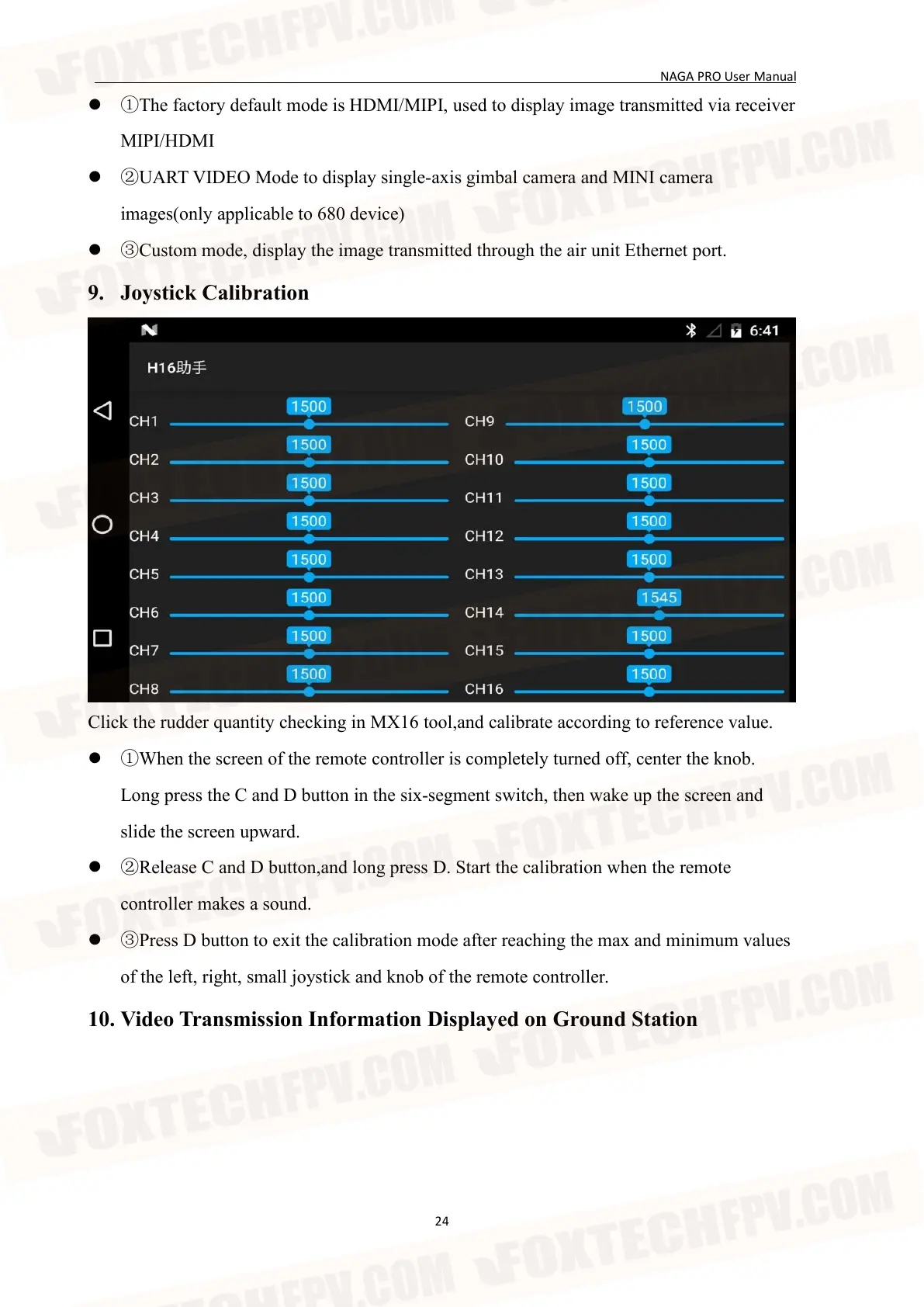
9. Joystick Calibration
Click the rudder quantity checking in MX16 tool,and calibrate according to reference value.
①When the screen of the remote controller is completely turned off, center the knob.
Long press the C and D button in the six-segment switch, then wake up the screen and
slide the screen upward.
②Release C and D button,and long press D. Start the calibration when the remote
controller makes a sound.
③Press D button to exit the calibration mode after reaching the max and minimum values
of the left, right, small joystick and knob of the remote controller.
10. Video Transmission Information Displayed on Ground Station


 To Next Page