NAGA PRO User Manual
31
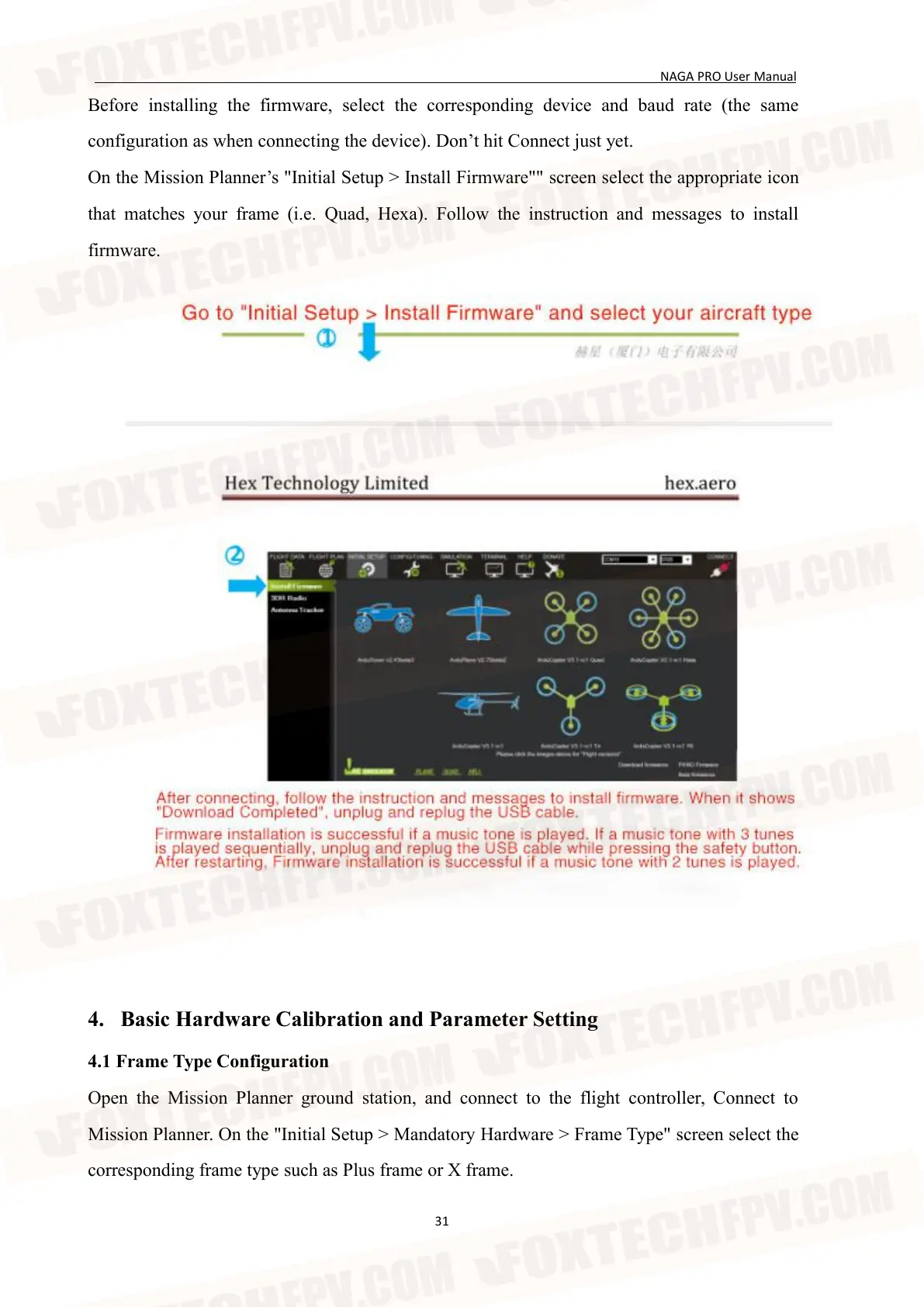
Before installing the firmware, select the corresponding device and baud rate (the same
configuration as when connecting the device). Don’t hit Connect just yet.
On the Mission Planner’s "Initial Setup > Install Firmware"" screen select the appropriate icon
that matches your frame (i.e. Quad, Hexa). Follow the instruction and messages to install
firmware.
4. Basic Hardware Calibration and Parameter Setting
4.1 Frame Type Configuration
Open the Mission Planner ground station, and connect to the flight controller, Connect to
Mission Planner. On the "Initial Setup > Mandatory Hardware > Frame Type" screen select the
corresponding frame type such as Plus frame or X frame.


 To Next Page