NAGA PRO User Manual
27
12. Share Network, Video and Data information
Share the Internet
When the remote controller is connected to the Internet via the USB wireless card, the hot spot
of the remote controller can be turned on for network sharing.
Share the Datalink
(1)Open the hot spot of the remote controller.
(2)Connect the computer to the remote controller's hot spot.
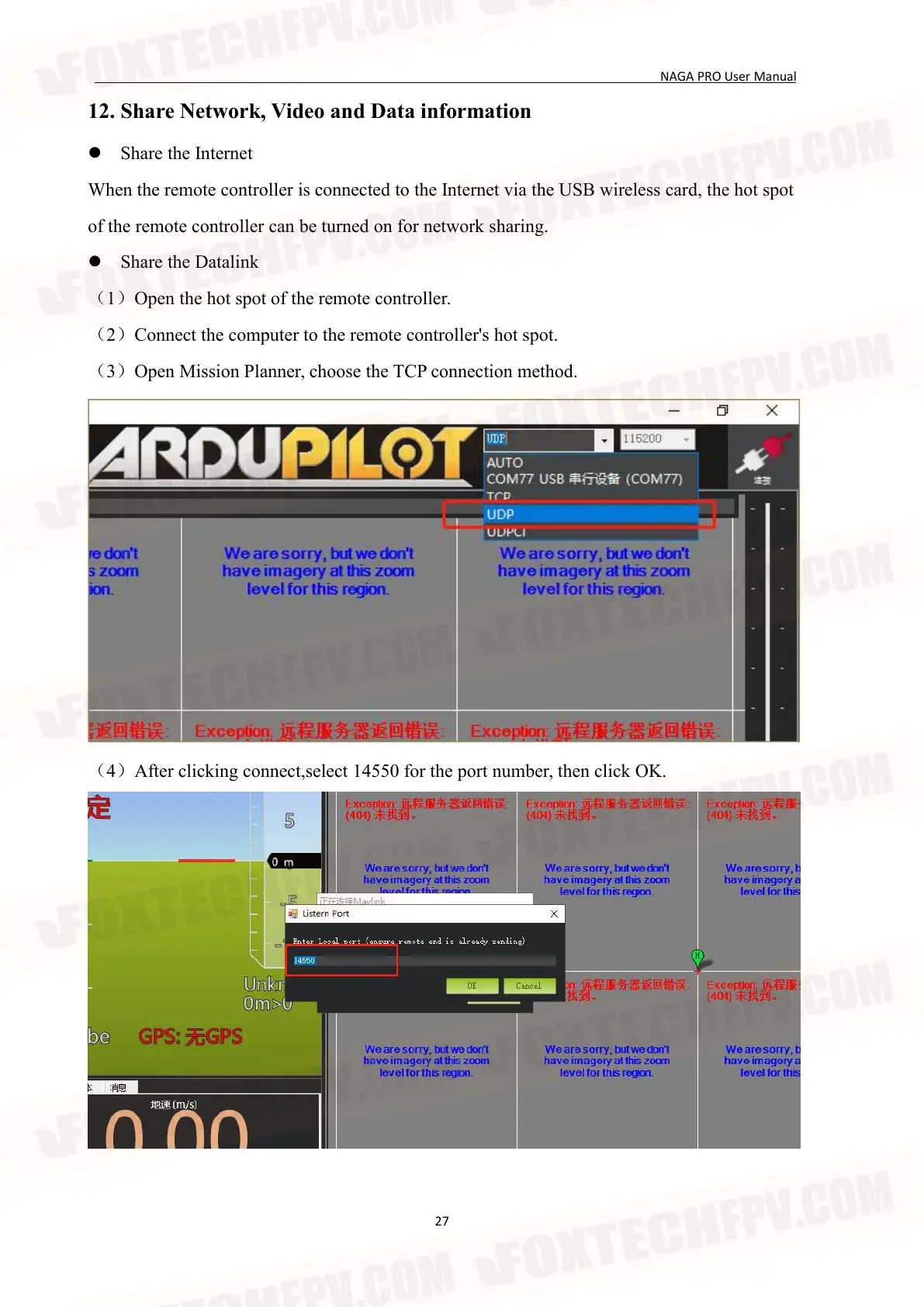
(3)Open Mission Planner, choose the TCP connection method.
(4)After clicking connect,select 14550 for the port number, then click OK.


 To Next Page