NAGA PRO User Manual
28
Share the Video link
(1)Open the hot spot of the remote controller.
(2)Connect the computer to the remote controller’s hot spot.
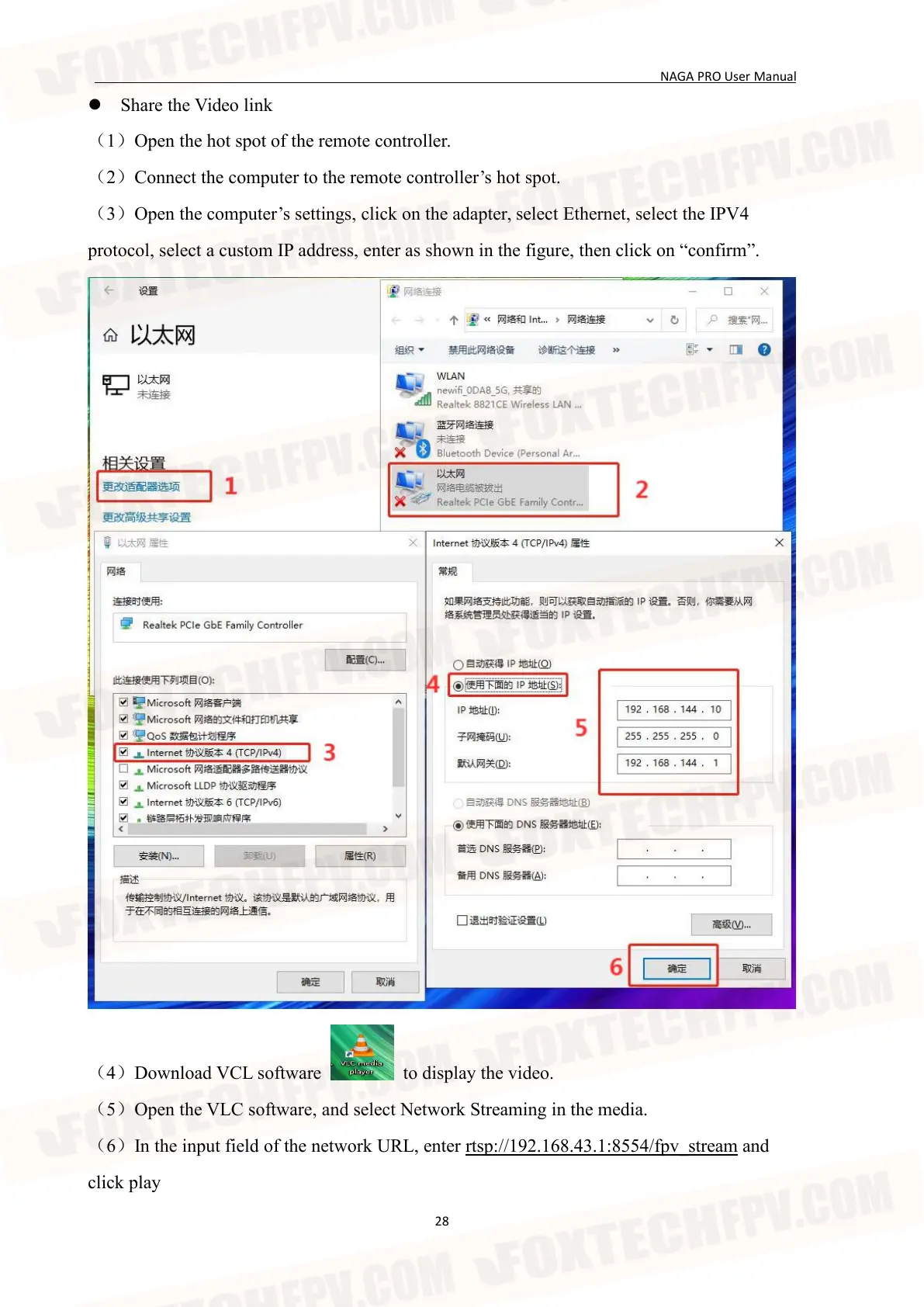
(3)Open the computer’s settings, click on the adapter, select Ethernet, select the IPV4
protocol, select a custom IP address, enter as shown in the figure, then click on “confirm”.
(4)Download VCL software to display the video.
(5)Open the VLC software, and select Network Streaming in the media.
(6)In the input field of the network URL, enter rtsp://192.168.43.1:8554/fpv_stream and
click play


 To Next Page