NAGA PRO User Manual
39
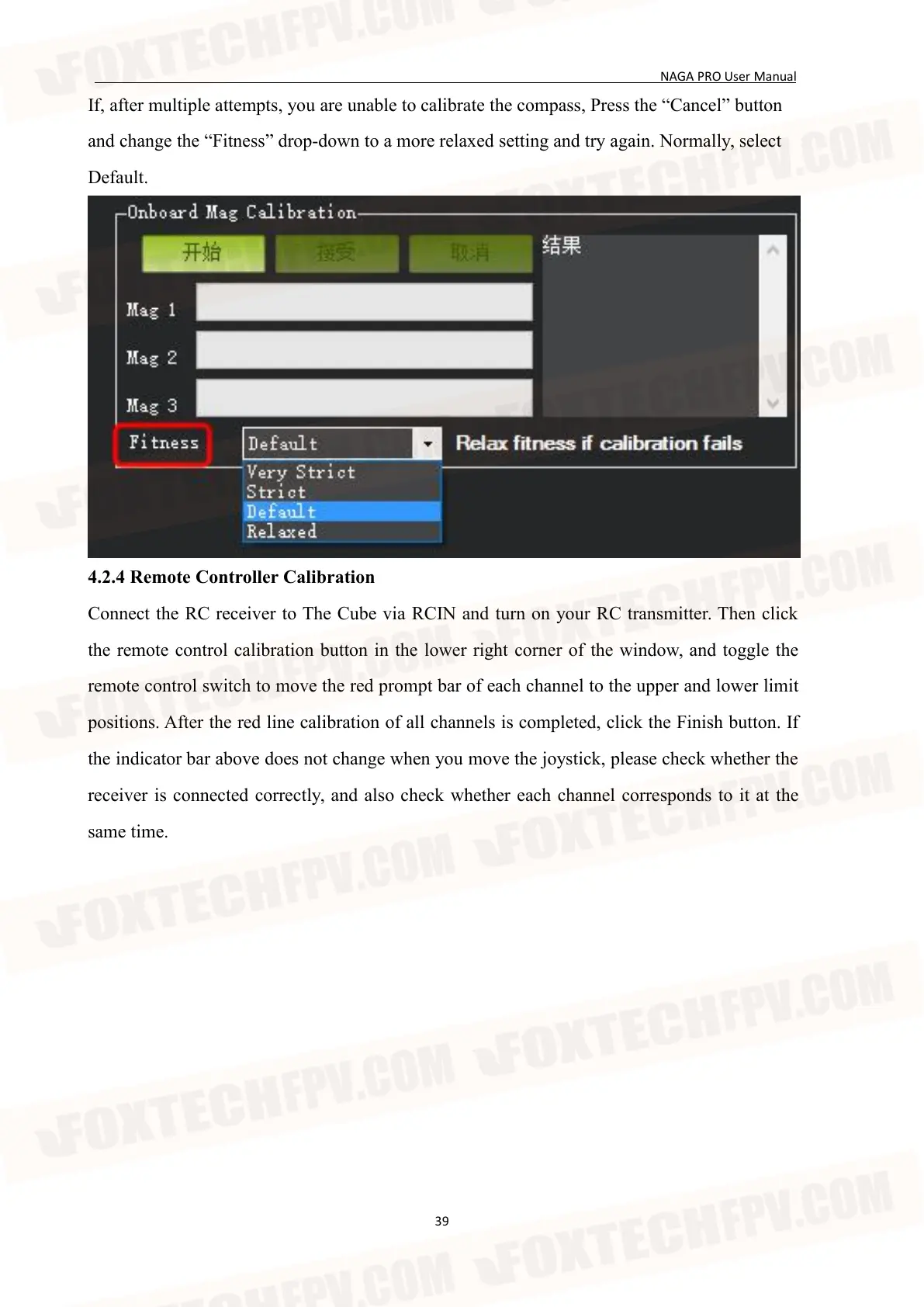
If, after multiple attempts, you are unable to calibrate the compass, Press the “Cancel” button
and change the “Fitness” drop-down to a more relaxed setting and try again. Normally, select
Default.
4.2.4 Remote Controller Calibration
Connect the RC receiver to The Cube via RCIN and turn on your RC transmitter. Then click
the remote control calibration button in the lower right corner of the window, and toggle the
remote control switch to move the red prompt bar of each channel to the upper and lower limit
positions. After the red line calibration of all channels is completed, click the Finish button. If
the indicator bar above does not change when you move the joystick, please check whether the
receiver is connected correctly, and also check whether each channel corresponds to it at the
same time.


 To Next Page