NAGA PRO User Manual
18
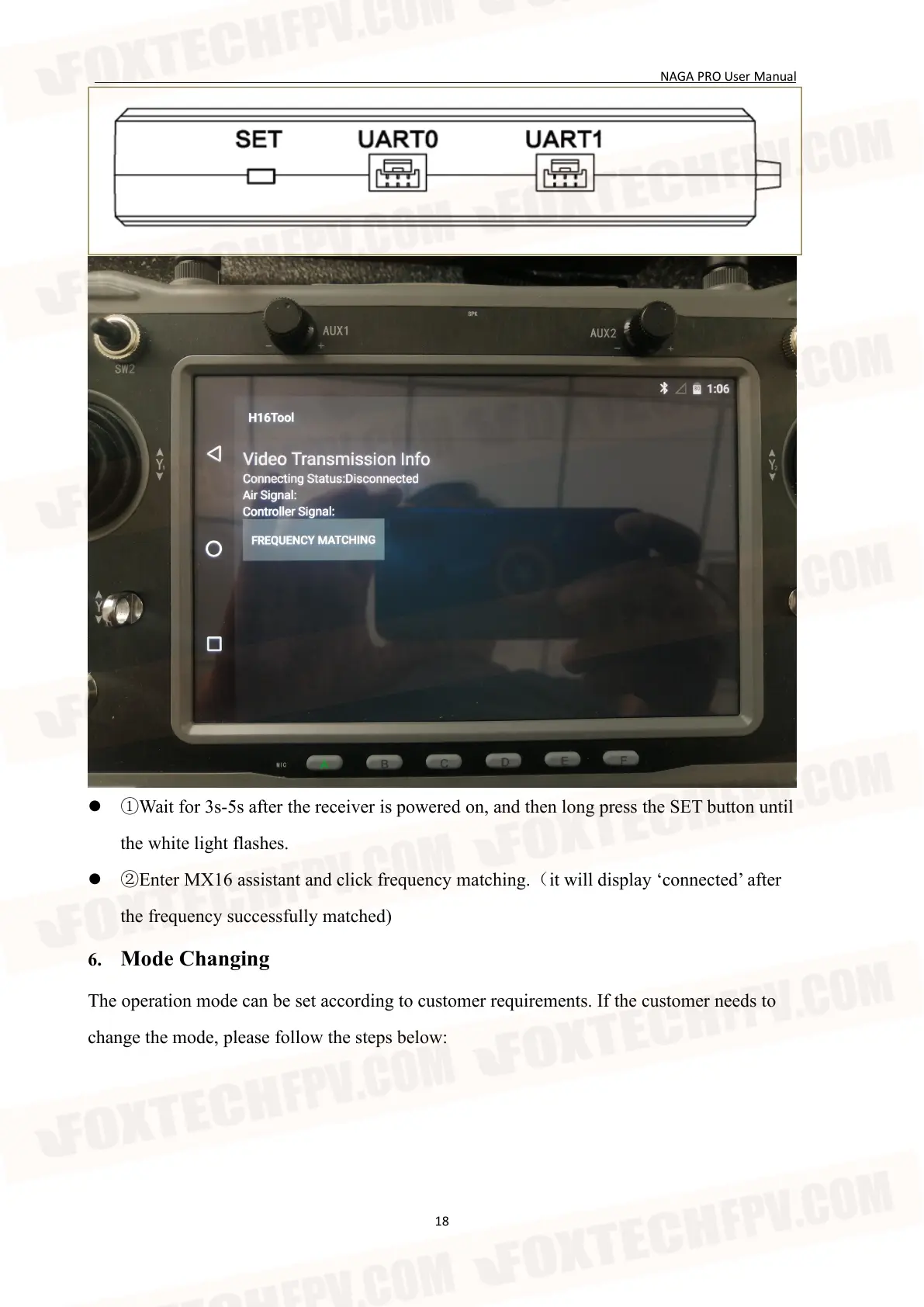
①Wait for 3s-5s after the receiver is powered on, and then long press the SET button until
the white light flashes.
②Enter MX16 assistant and click frequency matching.(it will display ‘connected’ after
the frequency successfully matched)
6. Mode Changing
The operation mode can be set according to customer requirements. If the customer needs to
change the mode, please follow the steps below:


 To Next Page