NAGA PRO User Manual
41
4.2.6 Select Flight Modes
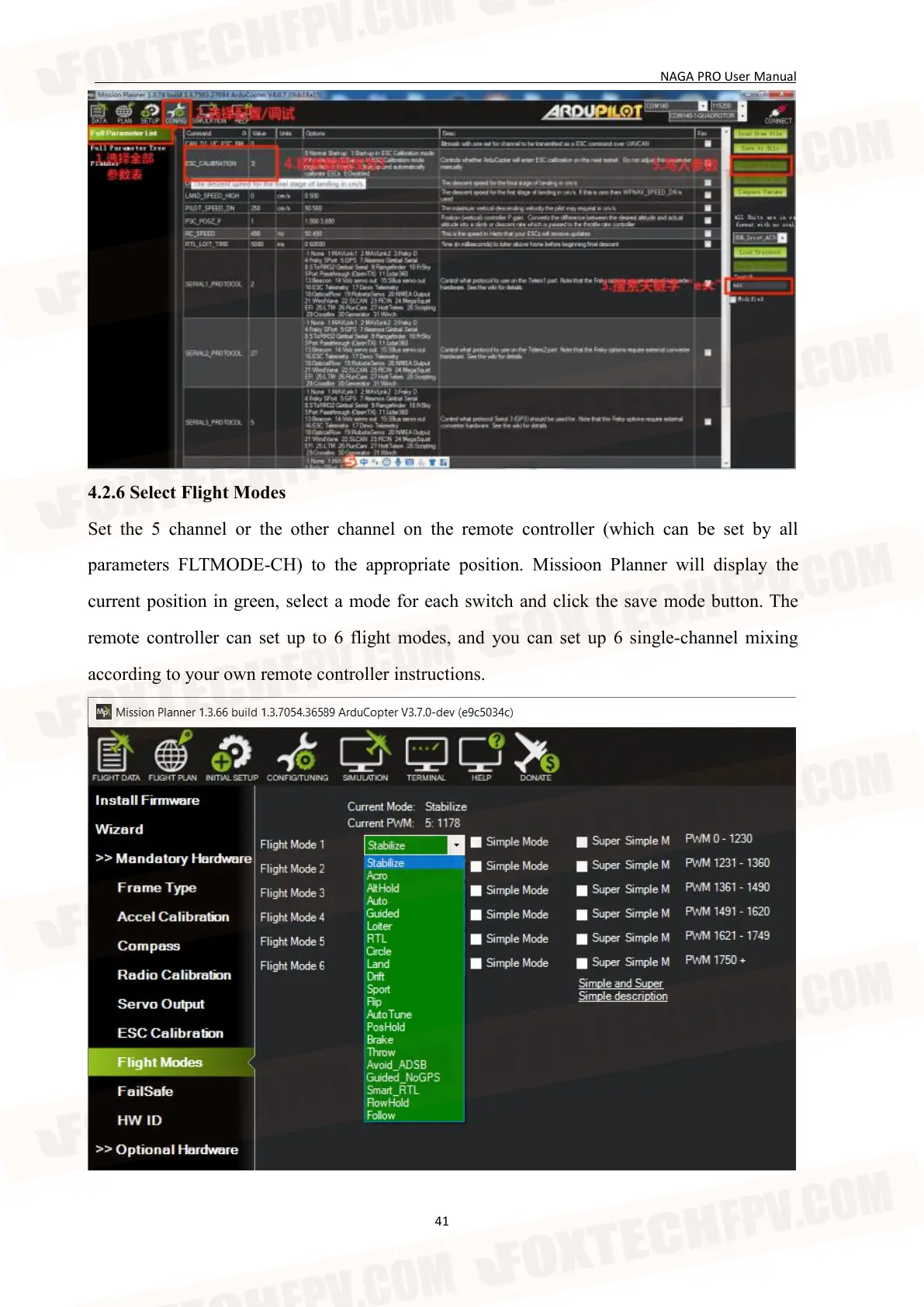
Set the 5 channel or the other channel on the remote controller (which can be set by all
parameters FLTMODE-CH) to the appropriate position. Missioon Planner will display the
current position in green, select a mode for each switch and click the save mode button. The
remote controller can set up to 6 flight modes, and you can set up 6 single-channel mixing
according to your own remote controller instructions.


 To Next Page