PostBase Mailing System
38
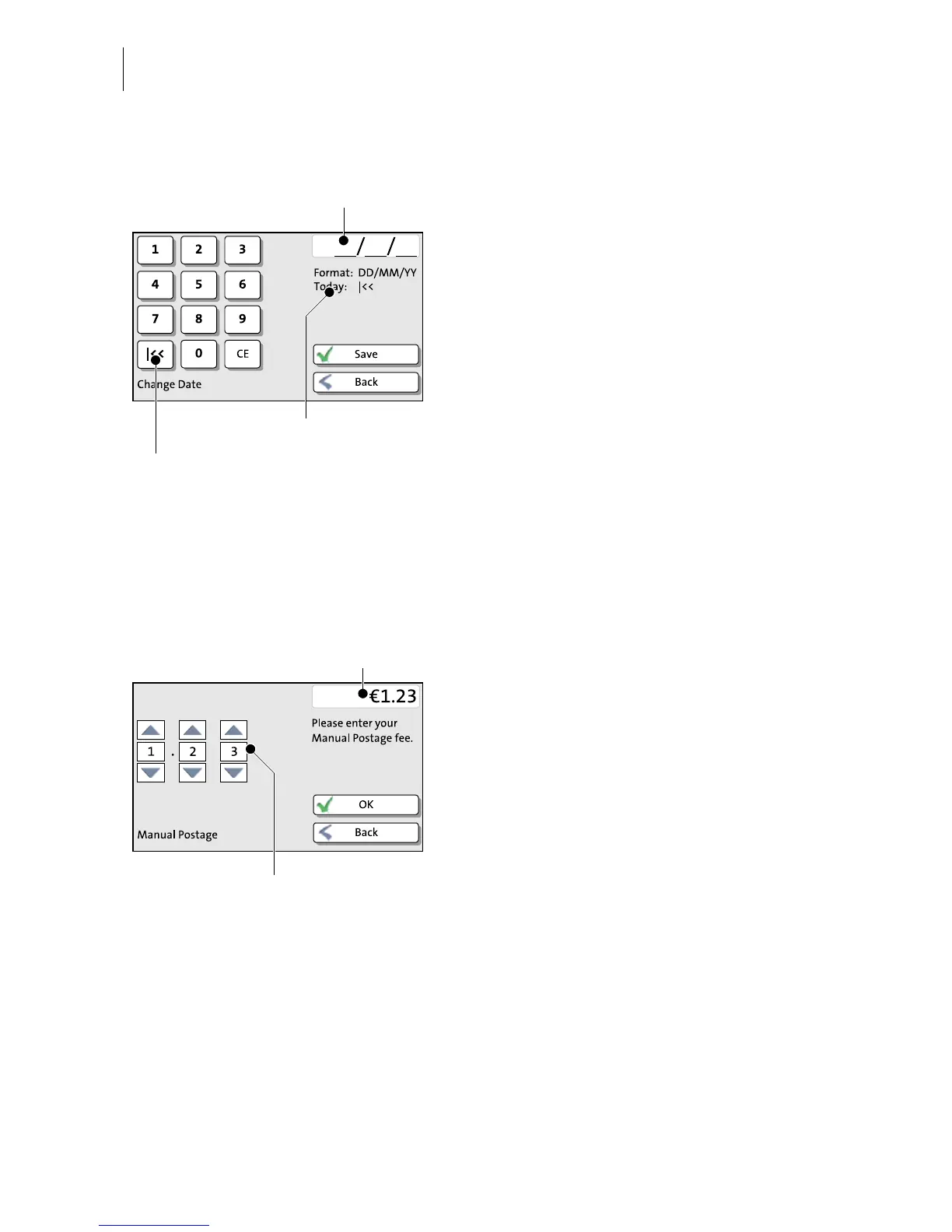
Input via keypad
Use the keypad in the left area of the display
to input values. The top right text box
indicates your input.
The keypad is always matched to the
respective situation: The button labels
change accordingly, depending on whether
you must type figures or figures and letters.
The bottom left button is assigned a special
function matched to the current operation,
e.g. change between small and capital
letters. The info text informs of special
features and gives additional hints.
Press CE to clear input.
Press S
AVE to accept the current settings and
to quit the adjustment menu.
Press B
ACK to discard your changes and to
quit the adjustment menu.
Input using the counter principle
PostBase may require you to enter values via
a counter principle.
Use the arrow buttons to increase or
decrease the figure in each digit until the
desired amount is displayed in the top right
text box.
Press OK to accept the current settings.


 To Next Page