PostBase Mailing System
48
5.1.4.3 Differential weighing (optional)
Caution! Please observe the following notes on handling the scale:
– Please heed the designated maximum weight of the scale (depending on
PostBase variant / equipment).
– The scale only determines a new weight if the letter transport is not
running. Wait until letter transport stops prior to putting on a mail piece for
weighing.
– When weighing large mail pieces, make sure they do not touch the
housing as it would distort the results.
In the Home screen:
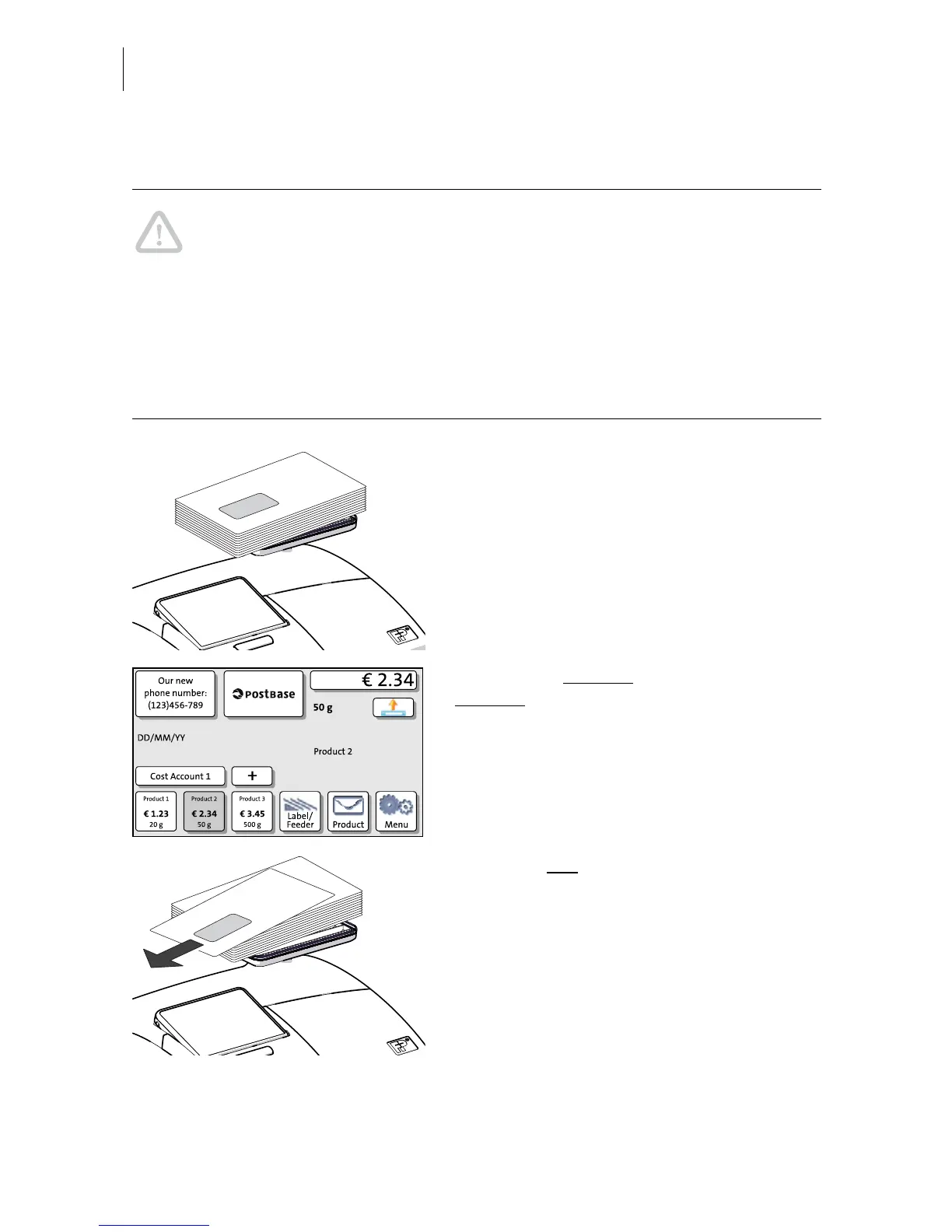
• Place the letter stack or a box with letters
on the weighing platform.
Two short beeps indicate that the scale has
recognized that a load was placed on the
platform.
For now, the previous
weight and the
previous
postage value are still displayed.
• Remove one letter from the stack or from
the box.


 To Next Page