Installation and commissioning
17
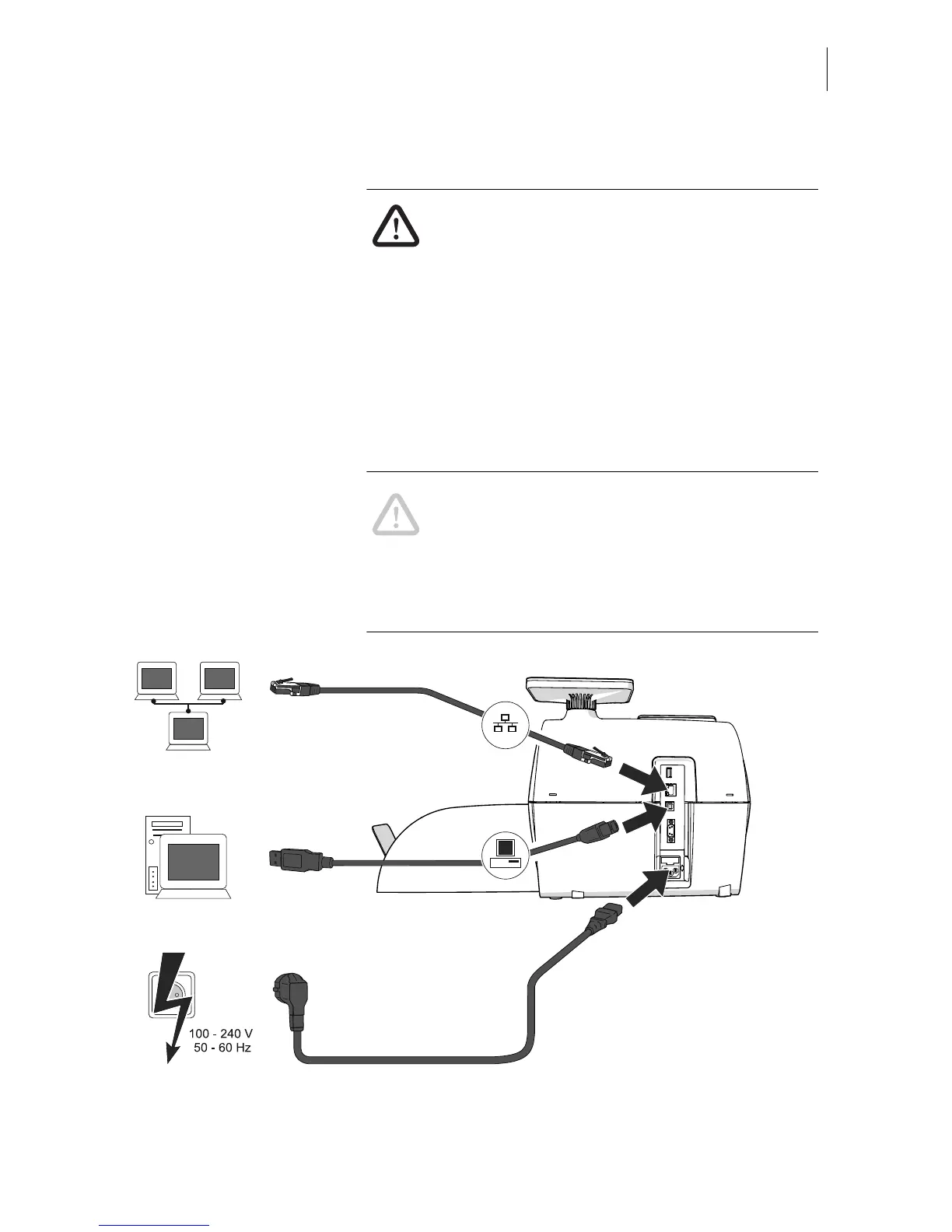
Step 3: Connecting PostBase
Warning! Use the power and connection
cables provided with the PostBase or
approved by Francotyp-Postalia. Make sure
that cables are not damaged.
Connect PostBase only to a grounded single-
phase power socket. Make sure your office
power supply conforms to the power require-
ments indicated on the serial number plates.
Make sure the socket for connecting
PostBase is close by and easily accessible
at all times.
Caution! When you move PostBase from a
cold environment (i.e. below 10 °C / 50 °F):
Unpack the PostBase and wait at least
2 hours before connecting PostBase.
PostBase requires this period to adapt to
the ambient conditions.
[
…
]
Plug the power plug into the franking
machine’s power connection. Then plug
the power cable into the power socket.
Connect the franking machine
to a local area network (LAN).
Connect the franking machine
to a PC



 To Next Page