Franking
35
4.3 Setting a product for dynamic weighing
• In the Home screen, press the PRODUCT
button.
PostBase opens the product calculation menu
and requests all necessary information on
the mail piece in turn.
• Press the buttons of the desired settings.
For products where dynamic weighing is
available (e.g. letters), PostBase will open an
adjustment menu during the course of the
product settings, for selecting the scale.
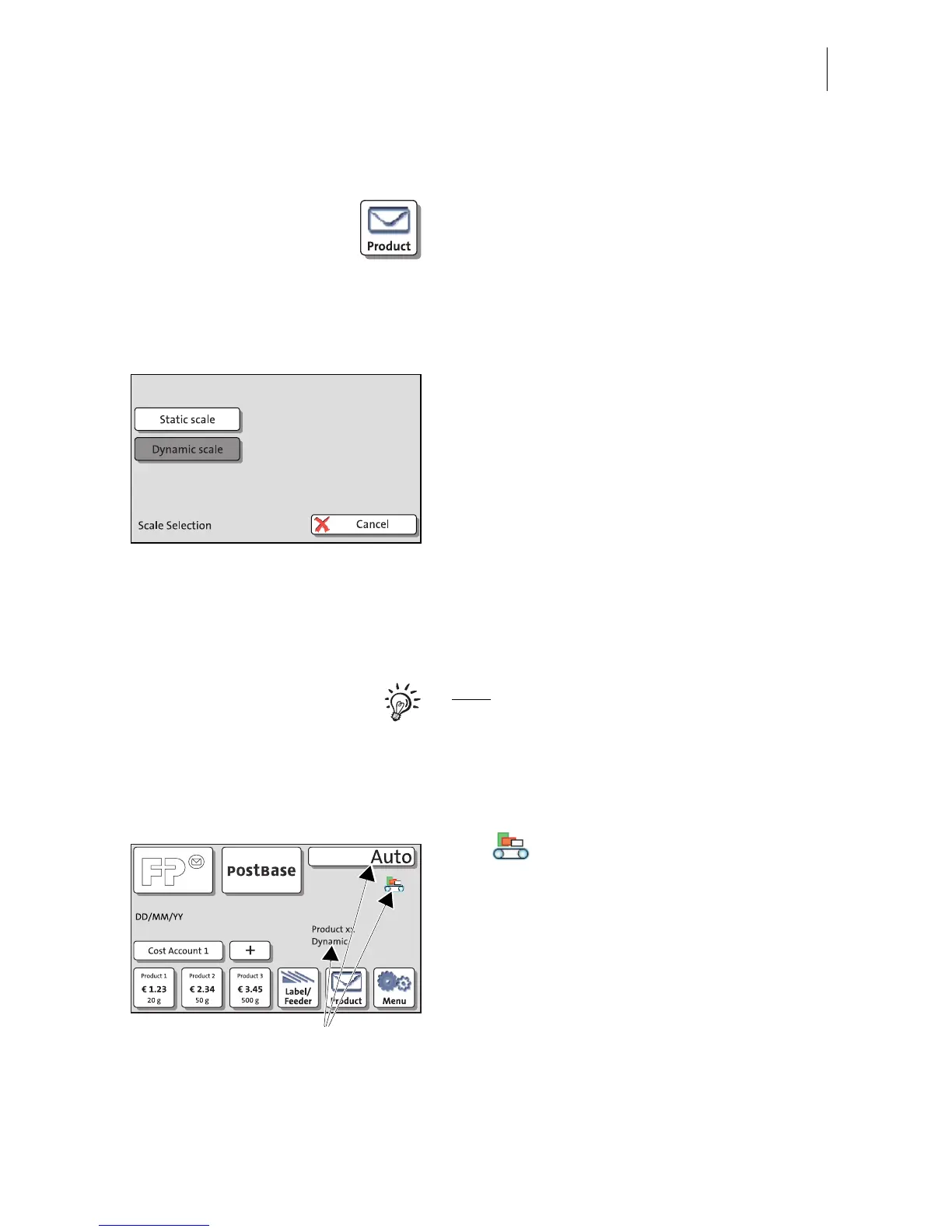
• Select D
YNAMIC SCALE, in order to deter-
mine the format and weight for each mail
piece, and calculate the postage.
• If necessary, set further mailing data / addi-
tional data.
• Return to the Home screen by pressing the
OK buttton.
Note
: If, during the course of the product set-
tings, the ‘Scale Selection’ adjustment menu
does not appear, you can only weigh your
mail pieces with the static scale. In this case,
the Dynamic Scale only facilitates the letter
transport.
The symbol in the Home screen
indicates that the Dynamic Scale is active. In
place of the postage, the system displays
Auto.
Only once the batch processing has started –
when the Dynamic Scale has determined the
weight and format of a mail piece – does the
postage appear.



 To Next Page