PostBase mailing system with Dynamic Scale
34
When letter transport is running, the blue
LED light additionally shows the status of the
Dynamic Scale. The LED
– lights up brightly
: Dynamic weighing is
active.
– remains dimly lit
: Weighing function and
format detection are turned off.
The Dynamic Scale facilitates letter trans-
port only.
Other settings To learn how to select the following settings
for processing the mail pieces if necessary,
please read the reference guide:
– User and / or cost account
– Counter
– Working in PC mode.
4.2 Setting a franking imprint
To learn how to select the requisite settings
for the franking imprint, please read the
reference guide and the country-specific
addendum if applicable.
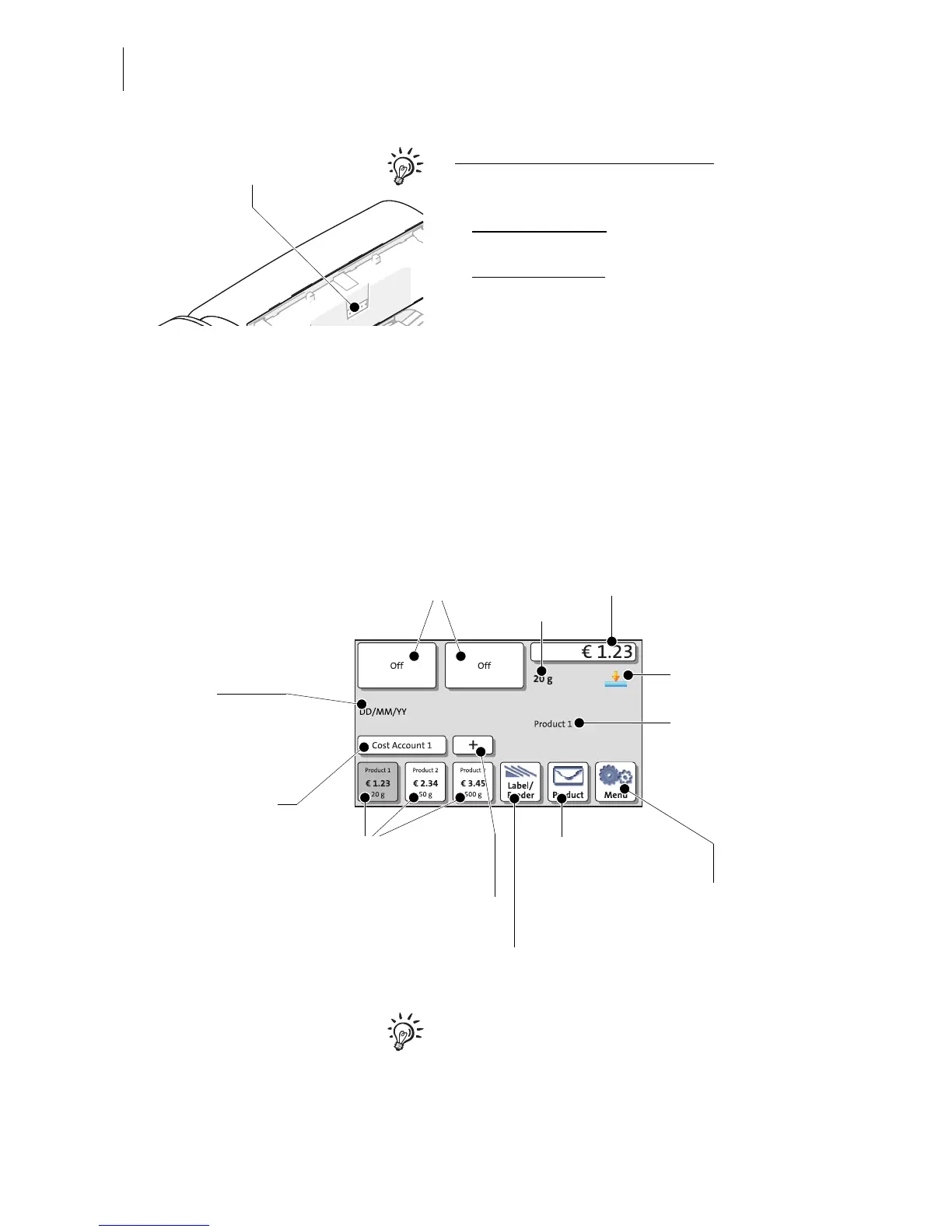
Info panel:
– Date in the franking imprint
– Other information
Advertising imprints setting
Mailing data
Postage / product setting
Weight
Shortcut
(set mail products)
Open menu:
– Change date
– Set imprint offset
Open product calculation
menu (product setting)
Change cost account
Open list with further
shortcuts
Open menu for label printing /
batch processing
Weighing mode
(here: static scale active)



 To Next Page