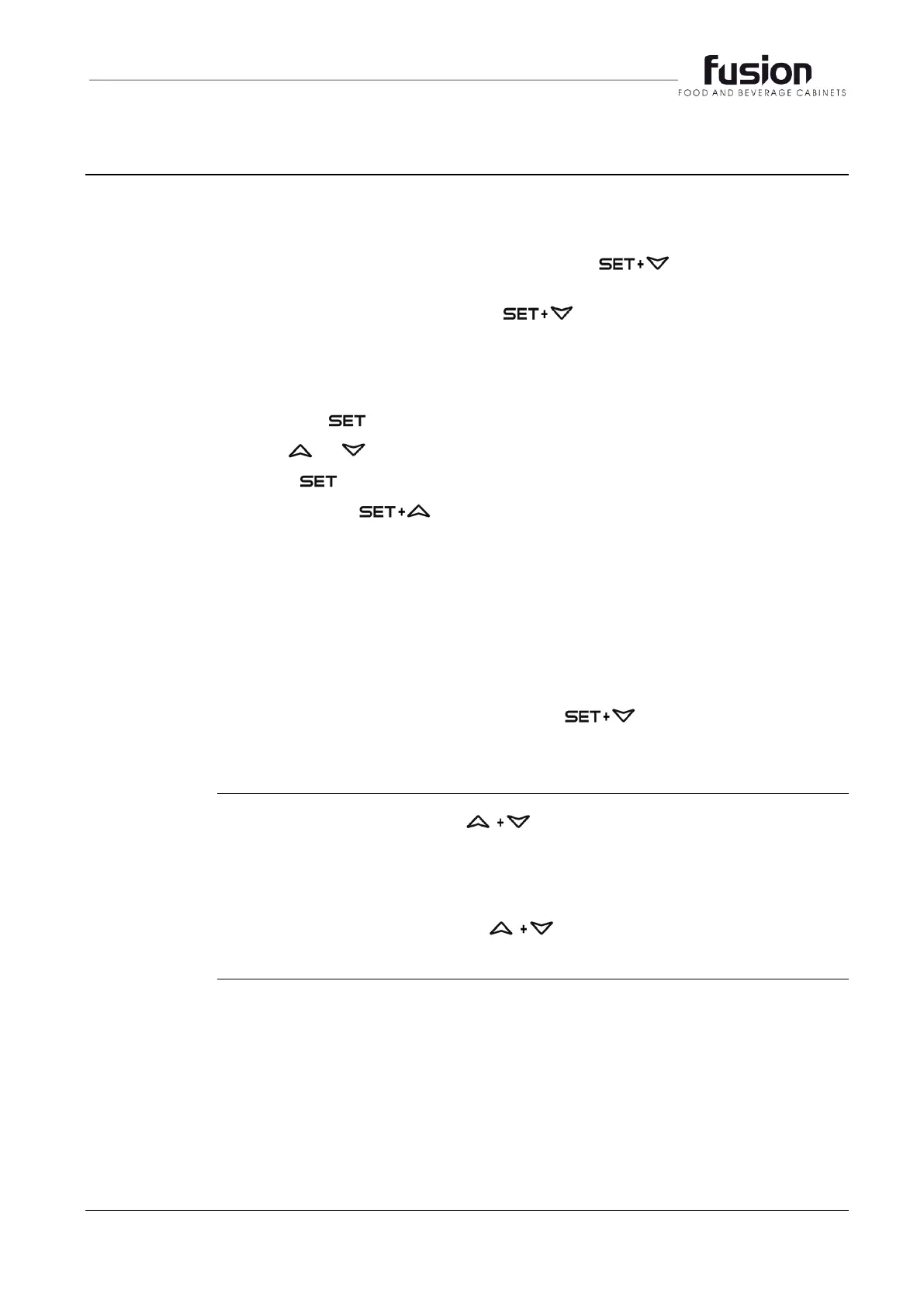
The hidden menu includes all the parameters of the instrument.
TO ENTER THE HIDDEN MENU
Enter the Programming mode by pressing the keys for 3s, (the °C
or °F LED starts blinking).
Release the keys, then press the keys again, for more than 7s.
The Pr2 label will be displayed immediately followed from the Hy parameter.
NOW YOU ARE IN THE HIDDEN MENU.
Select the required parameter.
Press the key to display its value
Use or to change its value.
Press to store the new value and move to the following parameter.
To exit: Press or wait 15s without pressing a key.
NOTE 1: If no parameter is present in Pr1, after 3s the noP message is
displayed. Keep the keys pushed till the Pr2 message is displayed.
NOTE 2: The set value is stored even when the procedure is exited by waiting
for the time-out period to expire.
TO MOVE A PARAMETER FROM THE HIDDEN MENU TO THE FIRST LEVEL
AND VICEVERSA.
Each parameter present in the HIDDEN MENU can be removed or put into
“THE FIRST LEVEL” (user level) by pressing
In HIDDEN MENU when a parameter is present in the First Level the decimal
point is shown.
To lock the keyboard, press the keys for more than 3 s.
The POF message will be displayed, followed by the previous temperature
display.
If a key is pressed more than 3s the POF message will be displayed.
To unlock the keyboard, press the keys for more than 3s, till the Pon
message is displayed.


 To Next Page