Instrument description | 17
FRAKO | Operating Manual | Power Quality Controller – PQC
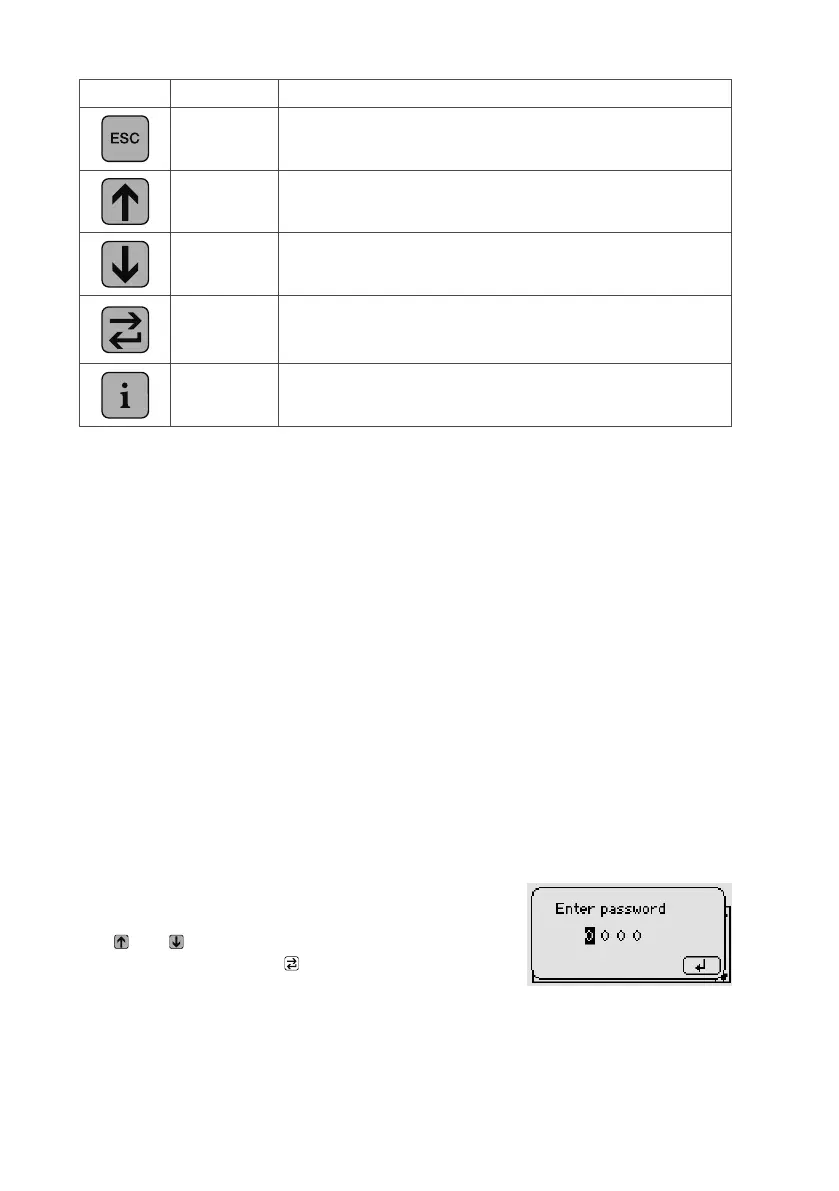
Icon Key Function
Escape Go back one level in the system tree.
Up
Increase a selected parameter by an increment.
Move a selected item upwards.
Down
Decrease a selected parameter by an increment.
Move a selected item downwards.
Return/Enter
Go one level deeper in the system tree (e.g. Select a chosen
parameter).
Select and confirm a chosen parameter (e.g. Adopt a value).
Info Help text
The PQC can be operated in three languages, which are selected at Main menu
> Parametrization > Service > Initial start-up (see Section 5.3.2 “PQC initial
start-up”):
– German
– English
– French
4.4 Password protection
The PQC uses a password to prevent sensitive menu items being accessed by unau-
thorized persons.
Protected menu items:
– Main menu > Parametrization
Security level 1, Password: last four digits of the serial number (see label on PQC
or Section 6.4 “About PQC”.
– Main menu > Parametrization > Service > Reset switching cycles
– Main menu > Parametrization > Service > Service
Security level 2, Password: 3725
The user is prompted to enter the password as soon as
a protected menu is selected.
The and keys are used to adjust each digit, which
is then confirmed with the key. Once the 4th digit has
been confirmed with this key, the menus at the security
level concerned become accessible for one hour.



 To Next Page