66| USER MANUAL
CAUTION
Flight using Position Mode in areas of degraded GPS signal,
such as near buildings or under dense tree cover, is not
recommended. The automatic reversion to Manual Mode
can cause unexpected, abrupt changes in flight behavior.
RETURN-TO-HOME
Return-To-Home Mode will command ALTA to fly back to the starting point of the
flight or the last defined Home Point. When ALTA first acquires a GPS position, it
sets this as the Home Point of the flight. The Home Switch on your radio controller
can also be used to set a new Home Point. See the Radio Mapping section in this
manual for more information on setting up the Home Switch.
RTH can be initiated manually by the Home Switch or be initiated with an LOS event.
When initiated with the Home Switch, ALTA will fly back to the Home Point, and the
pilot will maintain control of ALTA’s altitude the entire time. ALTA will not Autoland
if an adequate signal is detected. The pilot can cancel the RTH procedure by
commanding a pitch or roll command or by retuning the Home Switch to the middle
position. The Mode Switch must be in Position Mode to activate RTH manually.
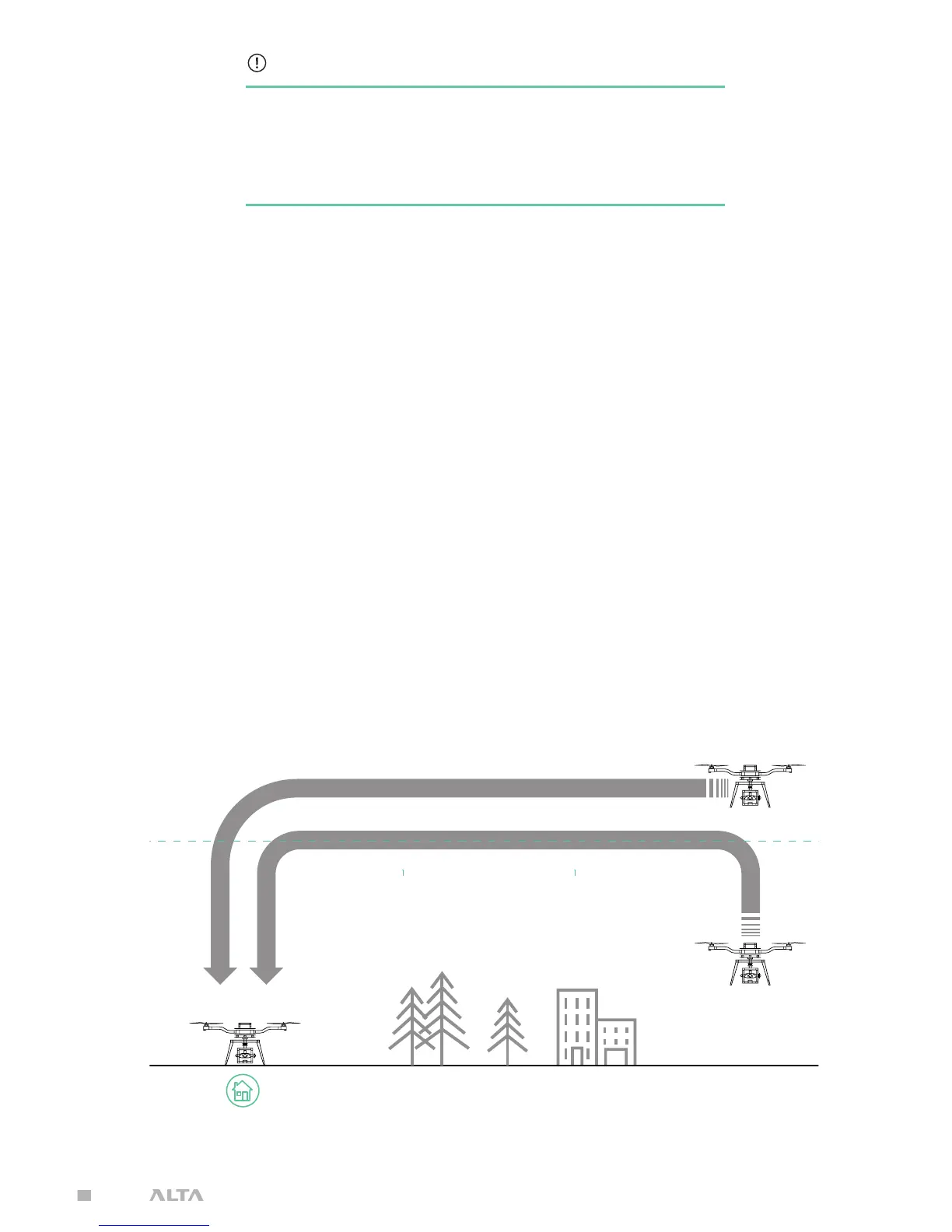
During an LOS event, ALTA will first check its current altitude against Safe Height. If
it is lower, it will climb to Safe Height, and if ALTA is above Safe Height, it will remain
at its current altitude. Next, ALTA will fly back to the home position at the RTH
Speed set in the ALTA App. Finally, upon reaching the home position, ALTA will begin
Autoland.
SAFE HEIGHT IS USER DEFINED
ALTA App > Configurations > Safety > Safe Height


 To Next Page