54| USER MANUAL
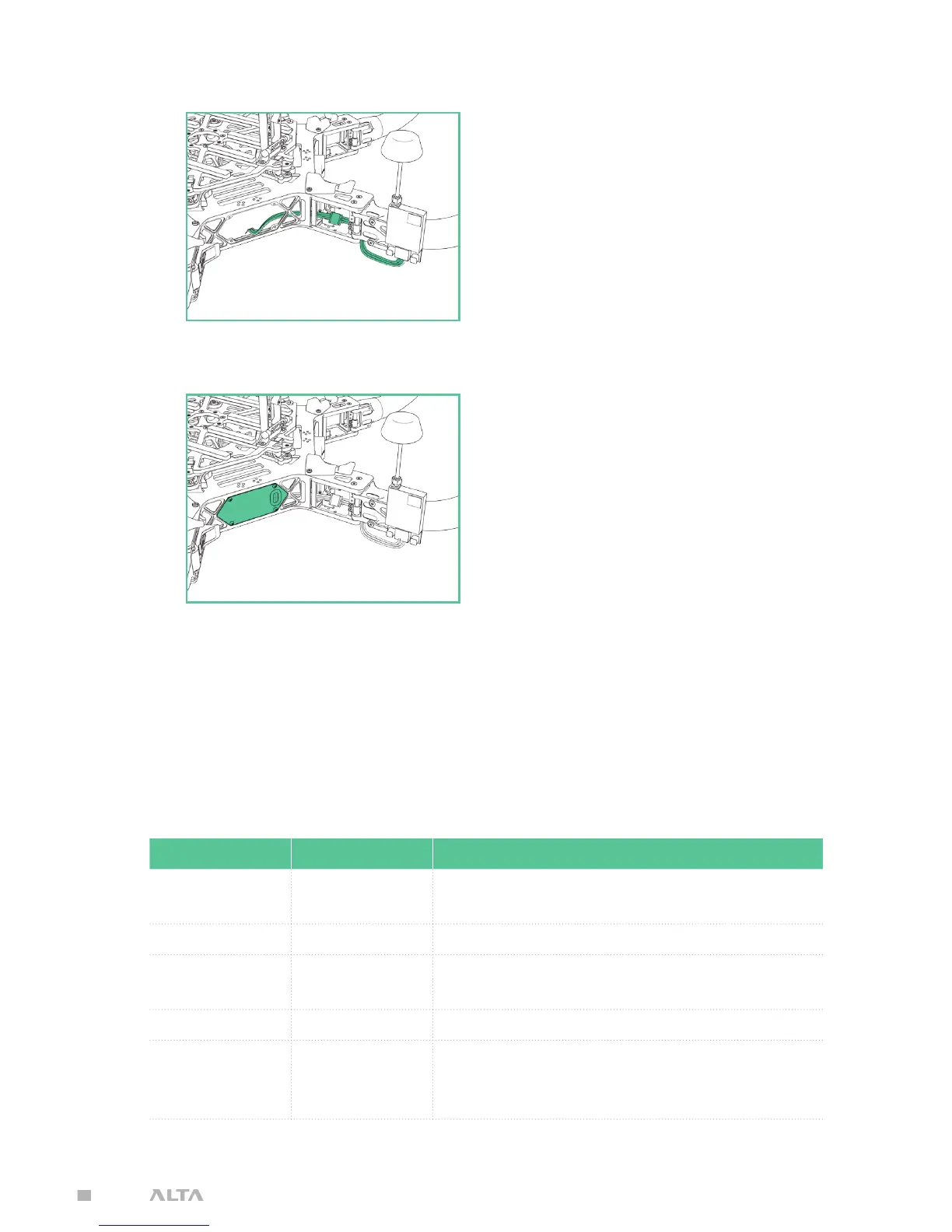
5. Pass transmitter cable through the underside of the
hinge, and connect to the FPV transmitter lead.
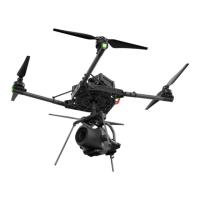
6. Replace side closeout panel.
7. Zip tie the FPV transmitter lead to the boom cable bundle for strain relief.
FPV ON SCREEN DISPLAY SETUP
A number of properties and components can be adjusted or added to the FPV On
Screen Display (OSD) using the ALTA App.
PROPERTIES
NAME OPTIONS DESCRIPTION
Video Mode PAL / NTSC
Indicates to the SYNAPSE the
FPV video camera format
Units SI / Imperial Changes the displayed units
Horizontal
Offset
0, 15, 30, 45, 60 Centers the OSD components horizontally
Vertical Offset 0, 8, 16, 24, 30 Centers the OSD components vertically
Borders 0, 1, 2, 3
Adds gaps between OSD components
and the edges of the display, measured
in character widths and heights


 To Next Page