FGR2-PE Wirelss Data Transceiver
LUM0024AB Rev A
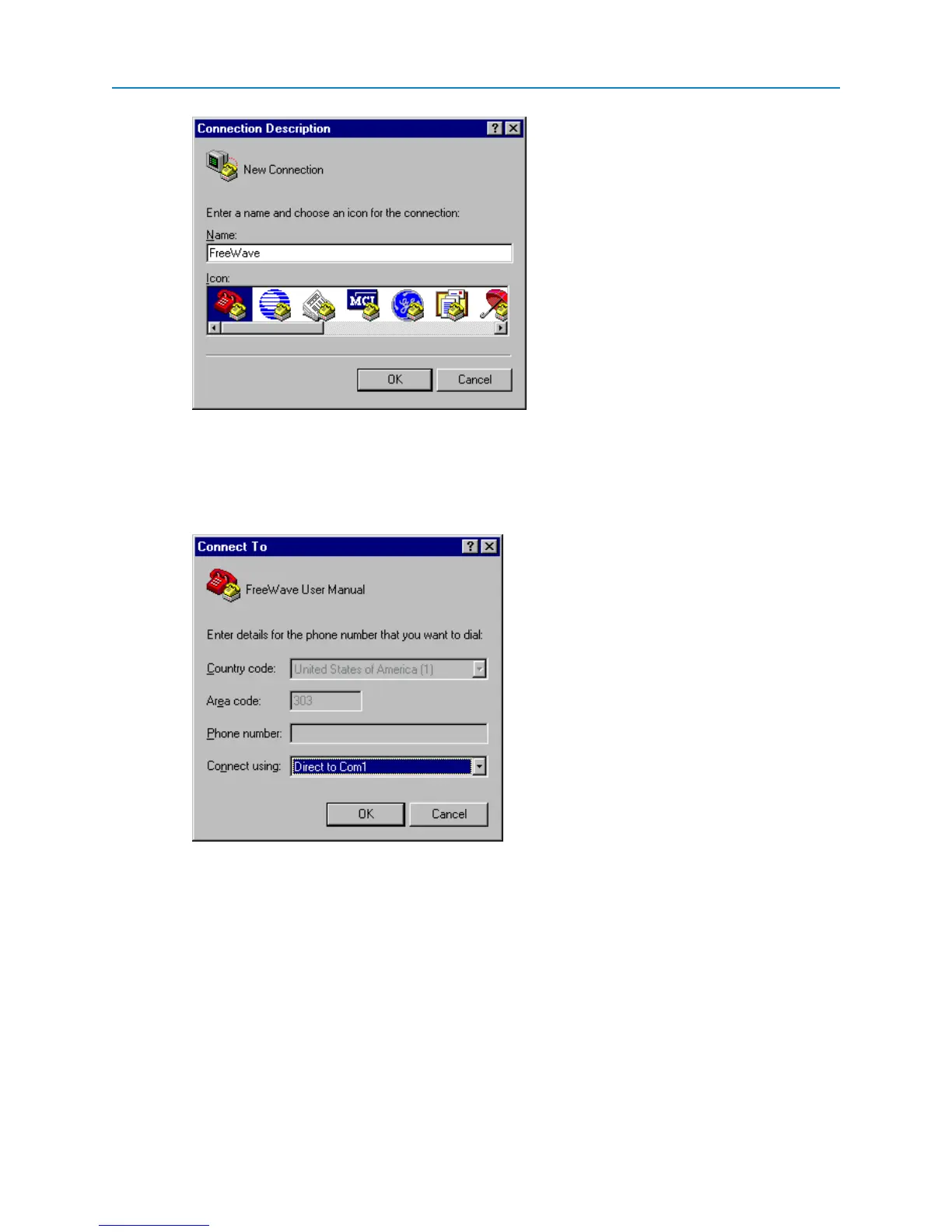
3. In the Name field, enter a descriptive name for the connection and select an icon from the Icon
selection box.
4. Click OK.
The Connect To dialog box displays.
5. In the Connect Using field, select the connection type to use.
Select the active Com Port to which the radio is connected. In most cases the connection type will
either Direct to Com1 or Direct to Com2.
6. Click OK.
The Properties dialog box displays for the selected connection type.
10


 To Next Page