Vehicle Operations Screens
There are five possible options under ’Vehicle
Operations:’
•
Gauges
•
Diesel Particulate Filter
•
Tire Pressure Monitoring
•
Locks
•
Vehicle Settings
For information on the display’s for gauges and, if
equipped, tire pressure monitoring see the
"Instruments and Systems" section in this chapter.
Information on diesel particulate filter monitoring is
covered in chapter
Chapter 13 Emissions. If
equipped, information on ’Transmission Prognostics’
is covered in
Chapter 14 Automated and Automatic
Transmissions. For information on Locks see
Chapter 16 Drive Axles.
The Vehicle Settings screen, shown in Fig. 3.11,
provides access to settings for vehicle systems such
as cruise control, engine idle adjust, and the
transmission.
ICUC Maintenance Screens
The maintenance screens are used to retrieve fault
codes and other diagnostic and service information
pertaining to the vehicle.
There are five menu options under Maintenance:
•
Alerts
•
Diagnostics
f61135506/29/2016
123
4
56
8
7
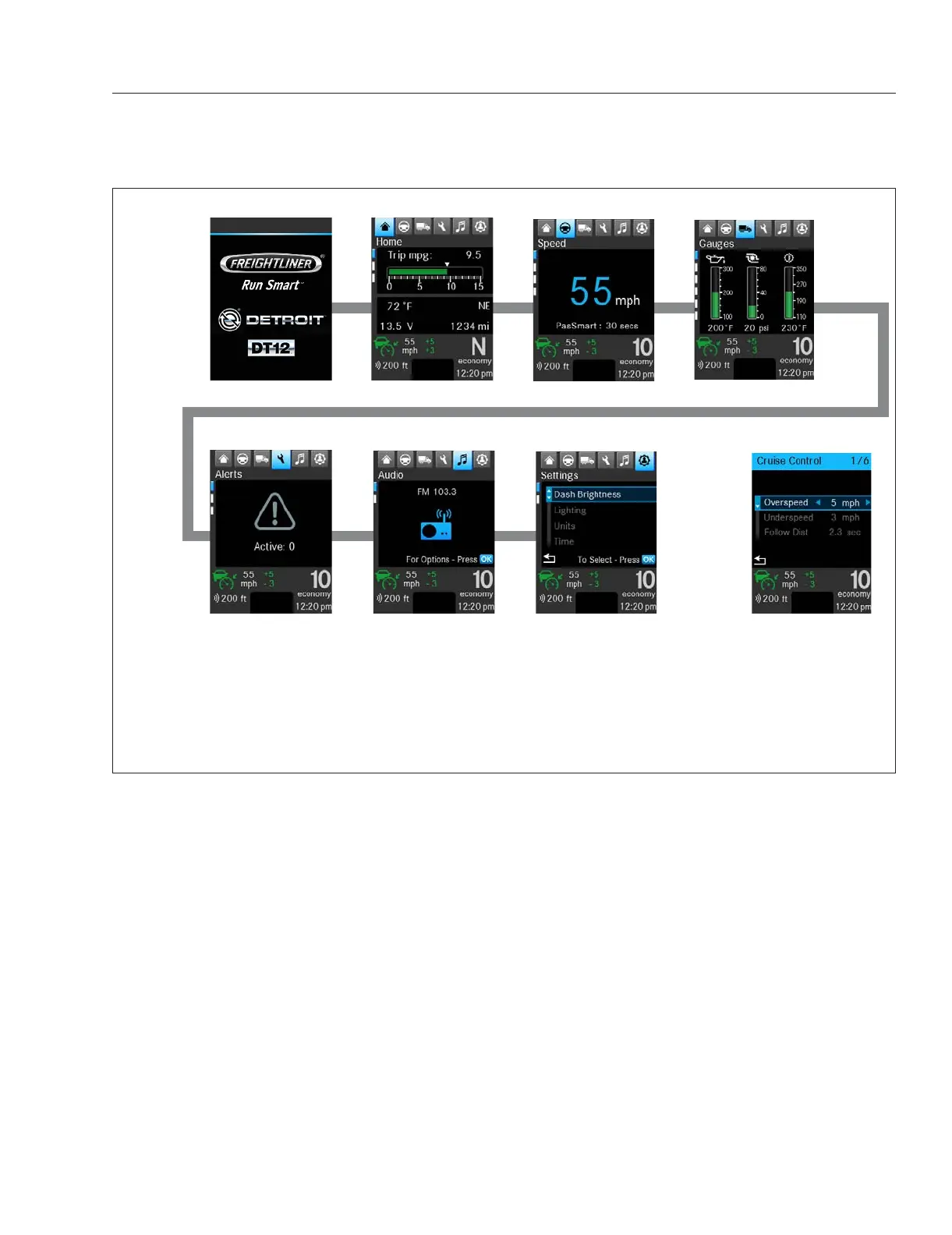
NOTE: Navigate the top-level menu by using the right and left arrow buttons in the left-hand steering wheel switch pod.
Navigate to Quick Access Settings using the Quick Access System Settings switch on the right-hand steering wheel
switch pod.
When navigating the top-level menu the last-used menu screen in each category will be displayed; this may not be the
menu’s initial screen.
1. Startup
2. Home/Basic Information
3. Drive Time Systems
4. Vehicle Operations
5. Maintenance
6. Infotainment
7. User Settings
8. Quick Access Systems (if
available)
Fig. 3.8, ICUC Top-Level Menu Initial Screens
Instruments
3.6














 To Next Page