Basic Configuration of FRITZ!Box Fon
FRITZ!Box Fon – 2 Starting FRITZ!Box Fon Operation 29
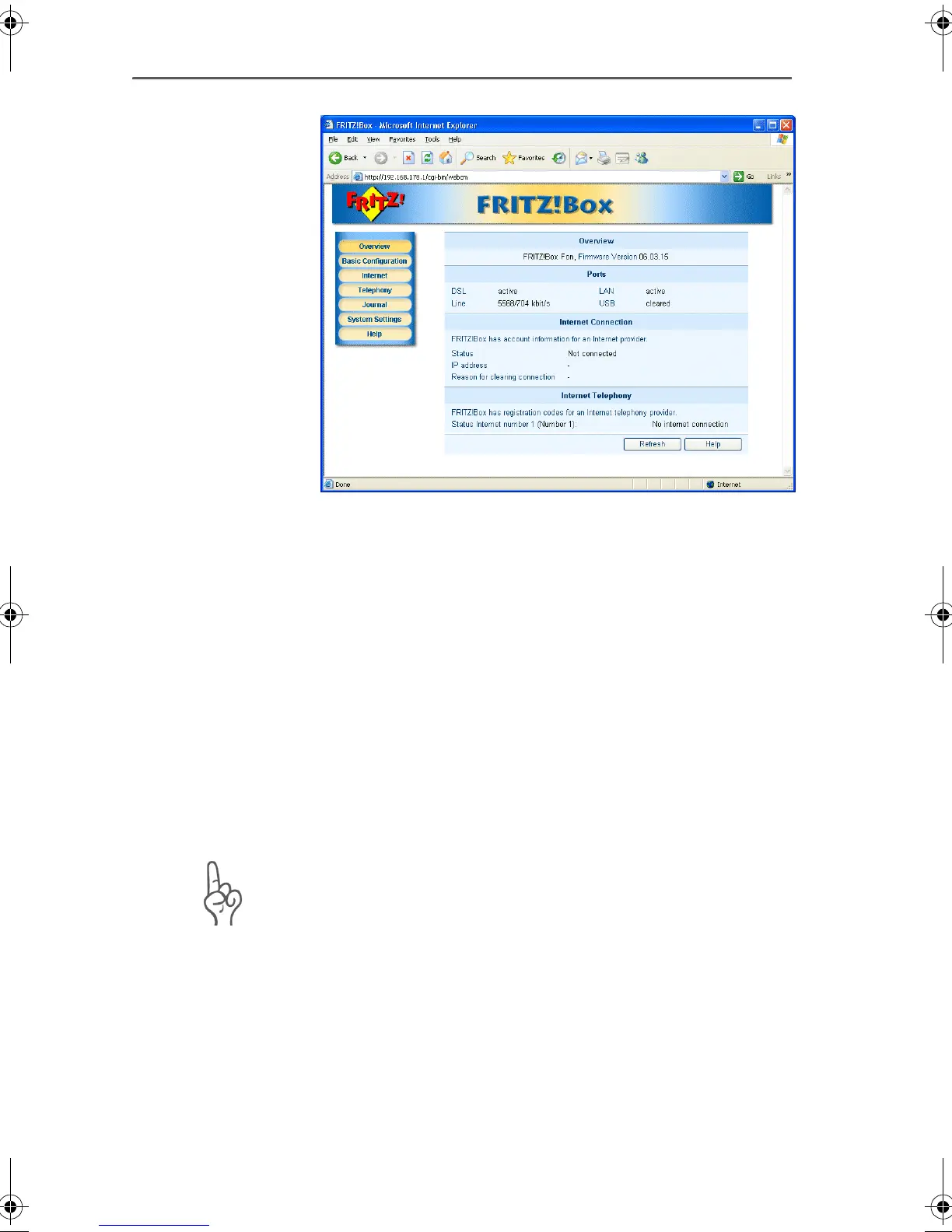
The FRITZ!Box Fon window
4. Click the “Basic Configuration” menu command.
Internet Account Information
1. Select the option “Use account information”.
2. Enter the account information you received from your
Internet Service Provider in the corresponding fields.
3. Use the “Clear Internet connection automatically” func-
tion if your Internet connection is charged for online time.
The Internet connection then will be cleared automatically
after the specified interval without data exchange (idle).
Click “Next”.
Note that FRITZ!Box Fon automatically assigns IP ad-
dresses to all computers that are supposed to use this
Internet access.
FRITZ!Box_Fon-e.book Seite 29 Donnerstag, 4. November 2004 2:08 14


 To Next Page