Quick guide PV Point & PV Point Comfort 915
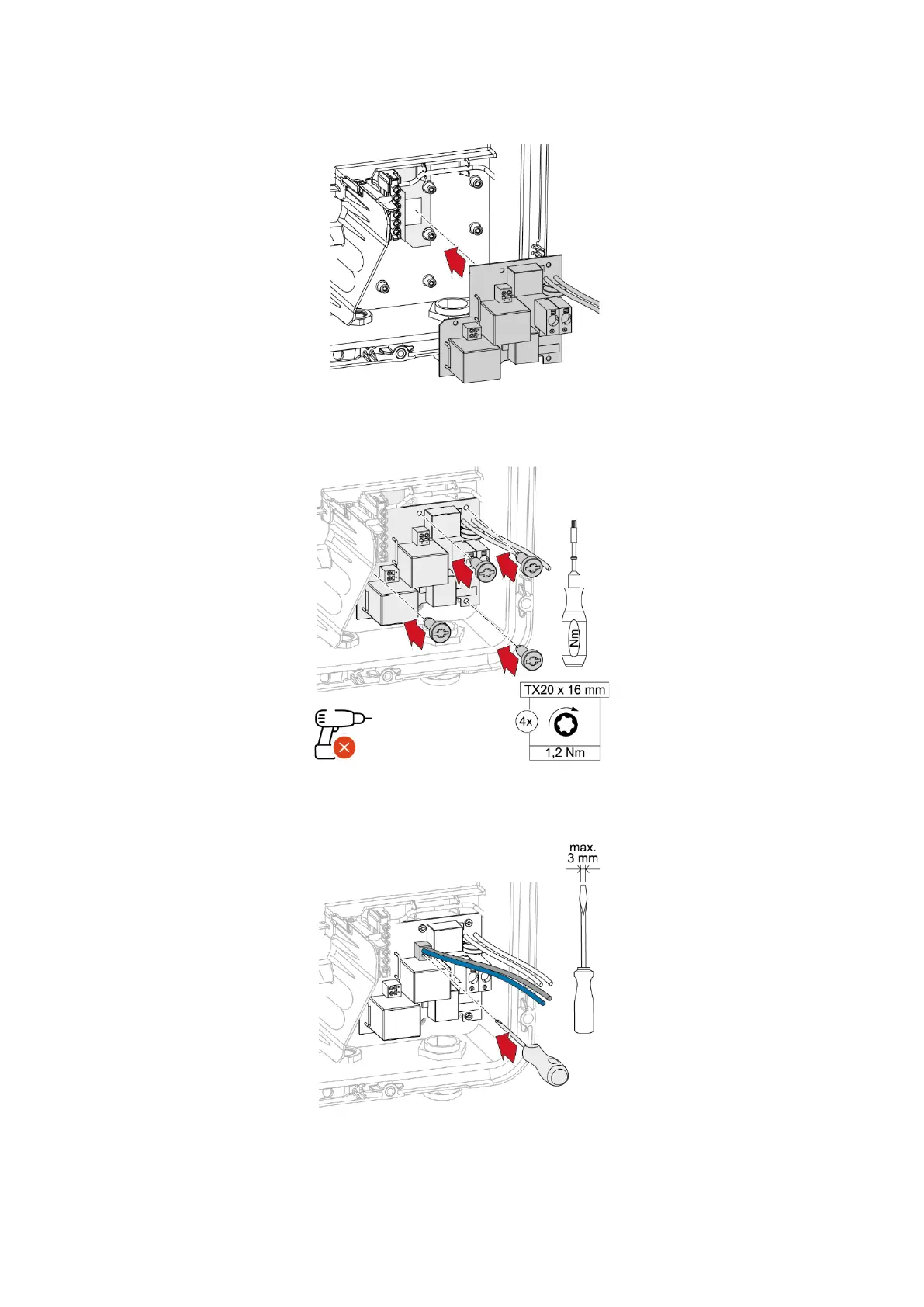
2. Place the PV Point Comfort Print on the AC side of the GEN24 [Plus].
3. Fasten the PV Point Comfort to the inverter using four screws.
4. Plug the enclosed cables for the connection between the PCB and the inverter into the terminal
provided.
5. Connect the two pairs of cables on the PCB to the PV Point terminal and the AC terminal of the
inverter (L and N respectively).



 To Next Page