Section 4 Service, Configuration & Testing
46 FT722 & FT742 (RS485) – FF & PM Sensors – User Manual
UCT (‘User Calibration Table’) Tab
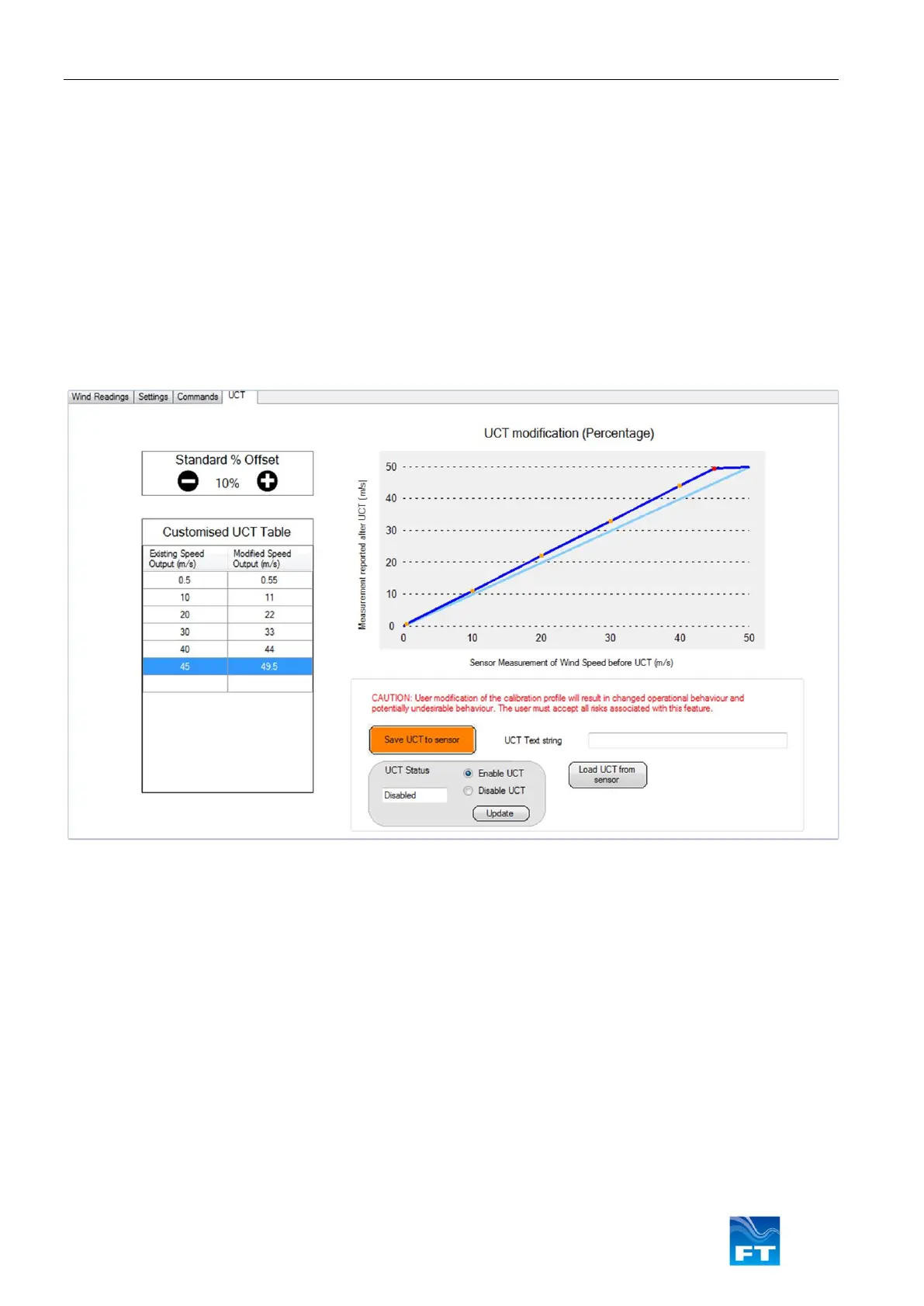
The UCT window provides the user with a simple method of changing the calibration performance of the sensor.
Refer to the UCT commands detailed in the user manual for further information.
Acu-Vis 2.0 will download any existing UCT settings and display them on the table and graph.
The easiest method of changing the UCT is to use the ‘Standard % Offset” buttons to establish a calibration
change.
When the calibration change has been selected press the orange ‘Save UCT to Sensor’ button and ensure the
‘UCT Status’ is set to Enabled.
Caution: This feature will change the calibration profile of the sensor and may compromise survey data
and/or system performance
Figure 43: UCT Modification Window



 To Next Page