Section 4 Service, Configuration & Testing
45 FT722 & FT742 (RS485) – FF & PM Sensors – User Manual
Commands Tab
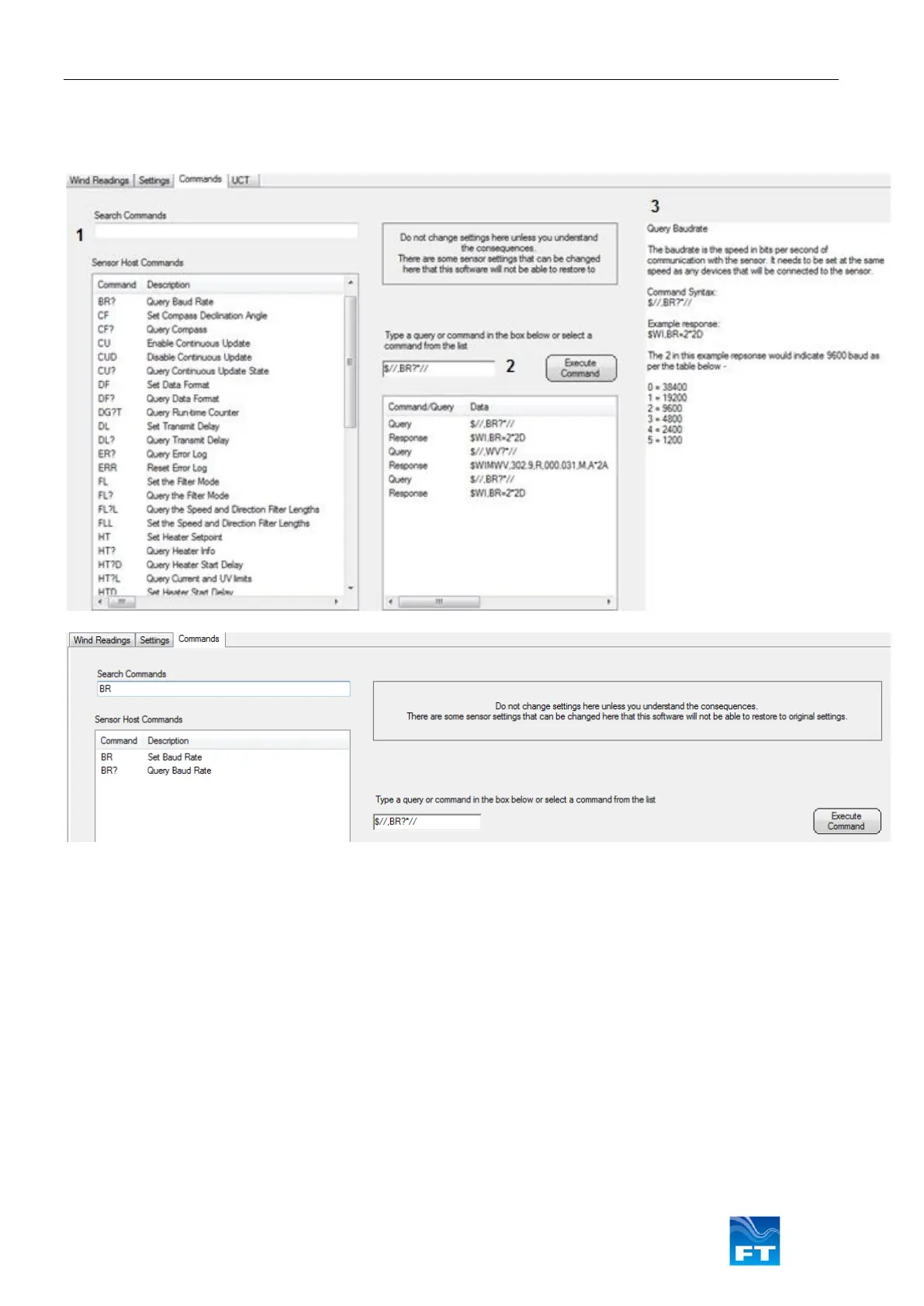
The Command tab allows the user to view and send various software commands:
Figure 42: Command Line Terminal Display
• Search for commands (for example: BR) or select them from the ‘Sensor Host Command’ menu. Selecting
a query will add the command to the ‘Execute Command’ window, a technical description will be displayed
• This window shows the command structure and allows the user to transmit commands using the ‘Execute
Command’ button. If the command has a response it will be shown below
Some SET commands require the user to add values into the command (for example: $//,DFP*//). The
user will be prompted to enter the missing settings
Note: The command console hides the <cr><lf> end-of-line terminal message and uses a default sensor
ID of $// to communicate with all sensor ID numbers (// is a wildcard value)
• This window provides a description of the selected software command. Please refer to the user manual
software command section for full descriptions



 To Next Page