Section 4 Service, Configuration & Testing
44 FT722 & FT742 (RS485) – FF & PM Sensors – User Manual
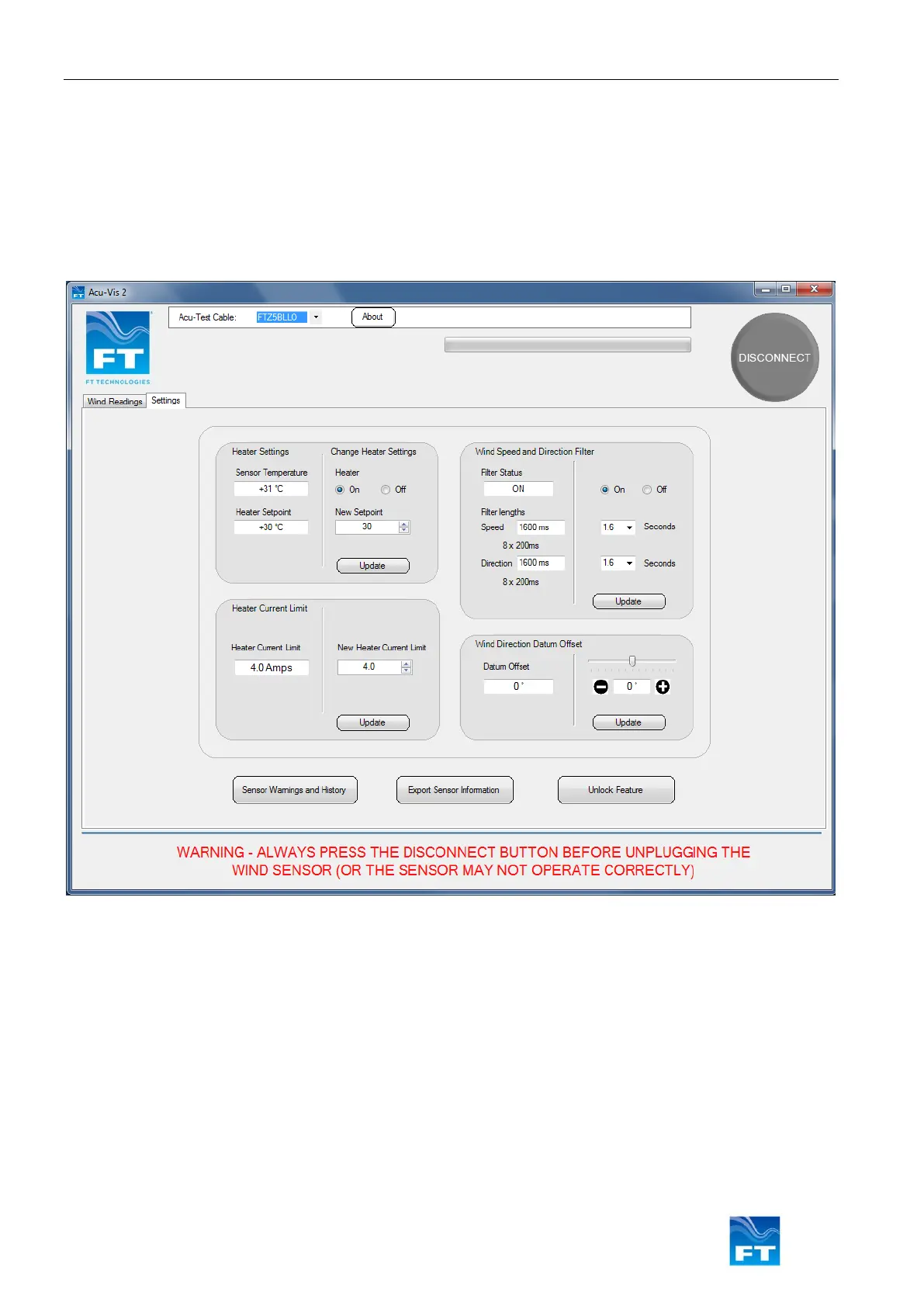
Settings Tab
The Settings tab provides an interactive user interface for changing basic sensor settings with point and click
operation. Consult the user manual for full software command details.
• Heater Settings: On/Off and Heater Setpoint
• Wind Speed & Direction Filter: On/Off and the averaging time period
• Heater Current Limit: Change the maximum current limit used by the sensor
• Wind Direction Datum Offset: Apply a directional offset to the sensor
Figure 41: Acu-Vis 2.0 Settings Display
• The ‘Sensor Warnings and History’ button will provide a history of the connected sensor settings where it
has been connected to the PC
• The ‘Export Sensor Information’ button creates an encrypted file containing current user settings and
diagnostic information. This feature will export a file in .fff format that can be forwarded to the FT
Technologies support teams
• The ‘Unlock Feature’ button is used to unlock advanced features in Acu-Vis 2.0, including the ‘Commands’
and the ‘User Calibration Table’ tabs. Contact FT Technologies for further details



 To Next Page