SeaSTAR 3610 USER MANUAL
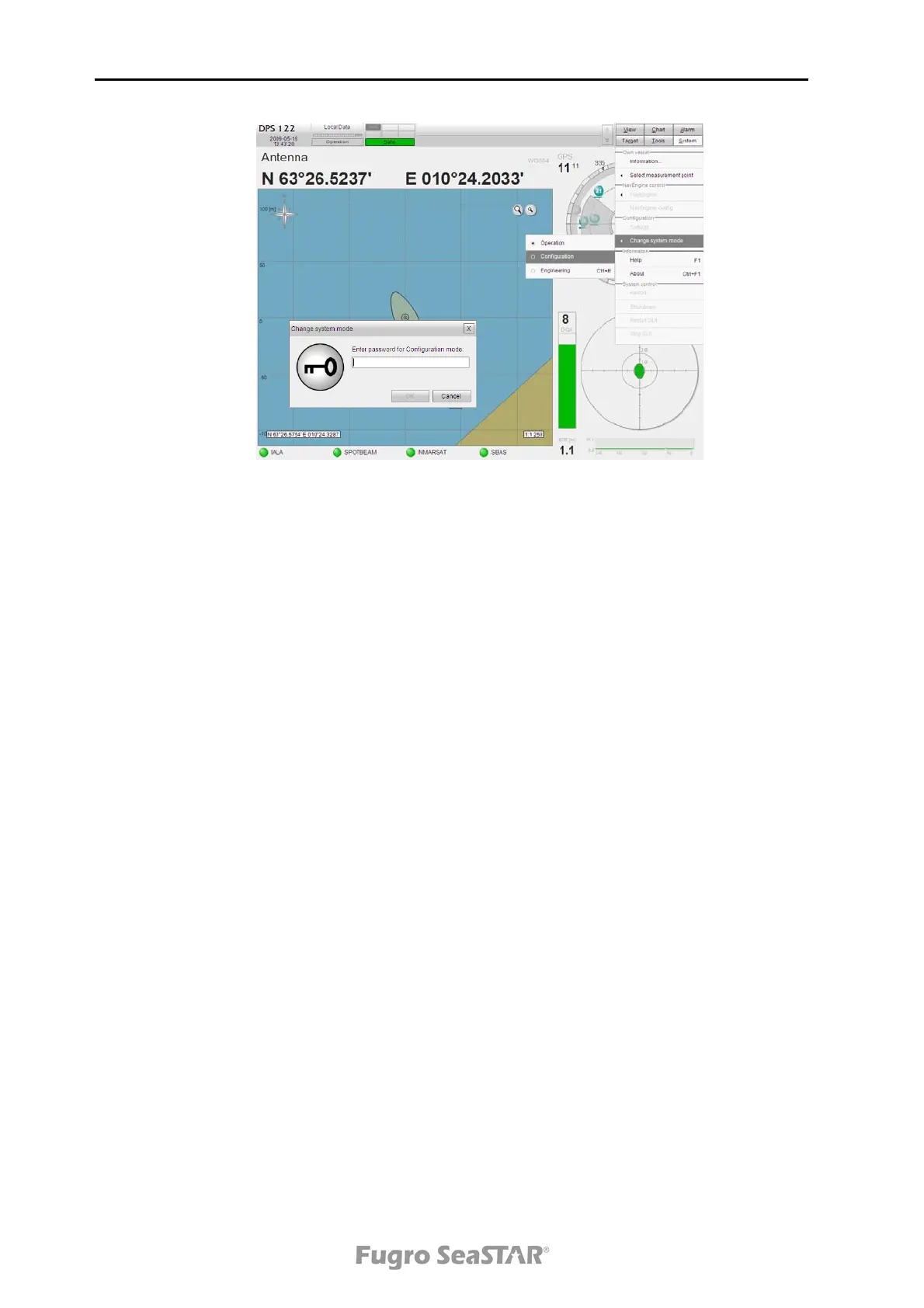
Figure 7. Entering the DPS setup file
5. To change parameters in the setup file, scroll down until you have found the
current parameter.
6. To set up a DGNSS link, serial interface and DGNSS link parameters must be
set correctly. Serial interface ports (input) are entered at the top of the setup file.
The only parameters set up here are which com port to use, baud rate and what
type of ports to use. Other parameters are entered further down in the setup file.
Com 5 and Com 6 are default RS-232 and set up as DGNSS links.
! Serial interface setup
GPS0MODE com11 57600 n 8 1
LINK0MODE async com3 4800 n 8 1
LINK1MODE async com5 38400 n 8 1
LINK2MODE async com6 38400 n 8 1
LINK3MODE none
7. It is possible to define several correction links in the DPS system. The links can
be set up to decode RTCM or HP/XP/G2. Up to 8 DGNSS links may be set up.
! DGPS link parameters
LINK 1 TYPE 1 ! 0: none 1: RTCM (default) 2: CMR
3: Fugro HP/XP/G2 4: AIS message #17
with RTCM
LINK 1 RTCM ROLL BYTES 1 ! 0: lsb first 1: msb first (RTCM standard)
LINK 1 RTCM 6 OF 8 BITS BYTE 1 ! 0: 8 of 8 1: 6 of 8
LINK 1 RTCM FORMAT
AUTODETECT
0 ! 0: Use configured byte roll & 6 of 8
1: Try all combinations
LINK 1 SUPPLIER FUGRO ! FUGRO, IALA, PETROBRAS, TOPNAV,
OTHER
LINK 1 NAME SPOTBEAM
LINK 1 TIMEOUT 60 ! in seconds
Issue 2.0 02/10
20


 To Next Page