SeaSTAR 3610 USER MANUAL
L
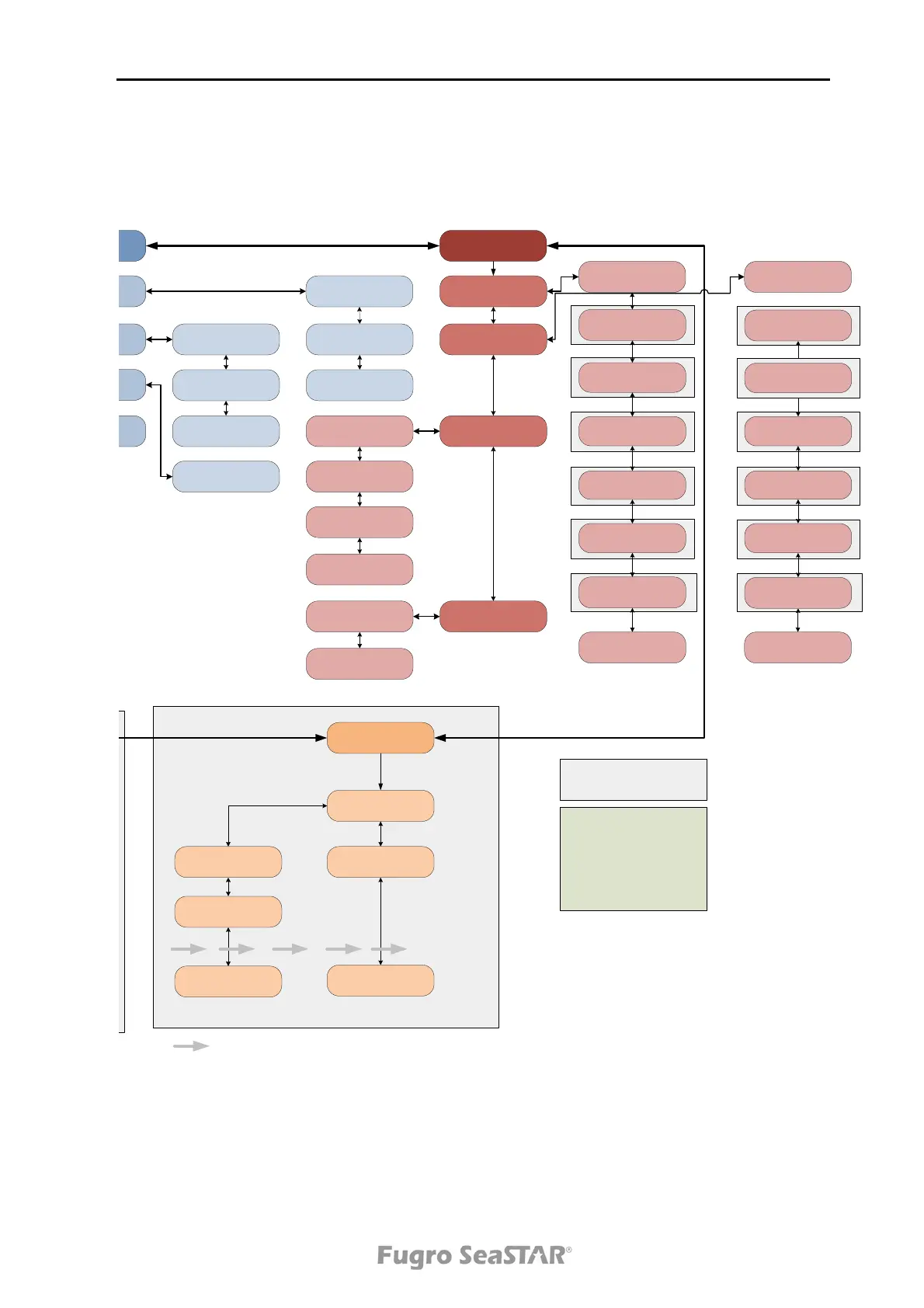
Set GPS L1 sites
Set all GPS L1
<on/off/nearest>
Set site 0580
<on/off>
Set site 0410
<on/off>
Set site 0580
ON
GPS L1 Nearest
Use <5> sites
Set site 0410
<on/off>
Nearest
on/off
Can only be read, not changed
Can only be read, not changed
Several arrows means that the number of menue items depend of the
number of reference stations actually received on the air
Subscriptions:
L : GPS L1 single stations (DGNSS)
V: VBS GPS L1
H: HP/XP decimeter services
G: Glonass L1 single stations (DGNSS)
I: Iono corrections (Plus)
S: SCF service
(G and I requires L)
Menu items in shaded frames appear
depending on receiver subscription
Port
configuration
Port A
Bauderate [bps]
<9600> (N,8,1)
Port B
TCP/IPView IP address
Get DHCP
Set static
<on/off>
Set IP address
Bauderate [bps]
<9600> (N,8,1)
FTP
Set debug output
<enable/disable>
L
Set GPS L1 output
<enable/disable>
V
Set VBS output
<enable/disable>
H
Set HP/XP output
<enable/disable>
G
Set GLO L1 output
<enable/disable>
I
Set Iono output
<enable/disable>
S
Set SCF output
<enable/disable>
Set debug output
<enable/disable>
L
Set GPS L1 output
<enable/disable>
H
Set HP/XP output
<enable/disable>
G
Set GLO L1 output
<enable/disable>
I
Set Iono output
<enable/disable>
S
Set SCF output
<enable/disable>
V
Set VBS output
<enable/disable>
Set static
<on/off>
Set IP address
Set frequency [MHz]
<1535….>
Set service
<EUSAT/AOREH..>
Set symbol rate
<1219/2438...>
Lat: <-- --.----> N/S
Lon: <--- --.----> E/W
Ntrip
<enable/disable>
Set IP adress to server
Set Username
Set Password
Issue 2.0 02/10
33



 To Next Page