Scanning Procedure
37
Basic Operation
3
3 Load the next document.
4 Press the <Start> button.
If you have more documents, repeat the procedure 3 to 4.
5 When all documents have been scanned, select [Last Original].
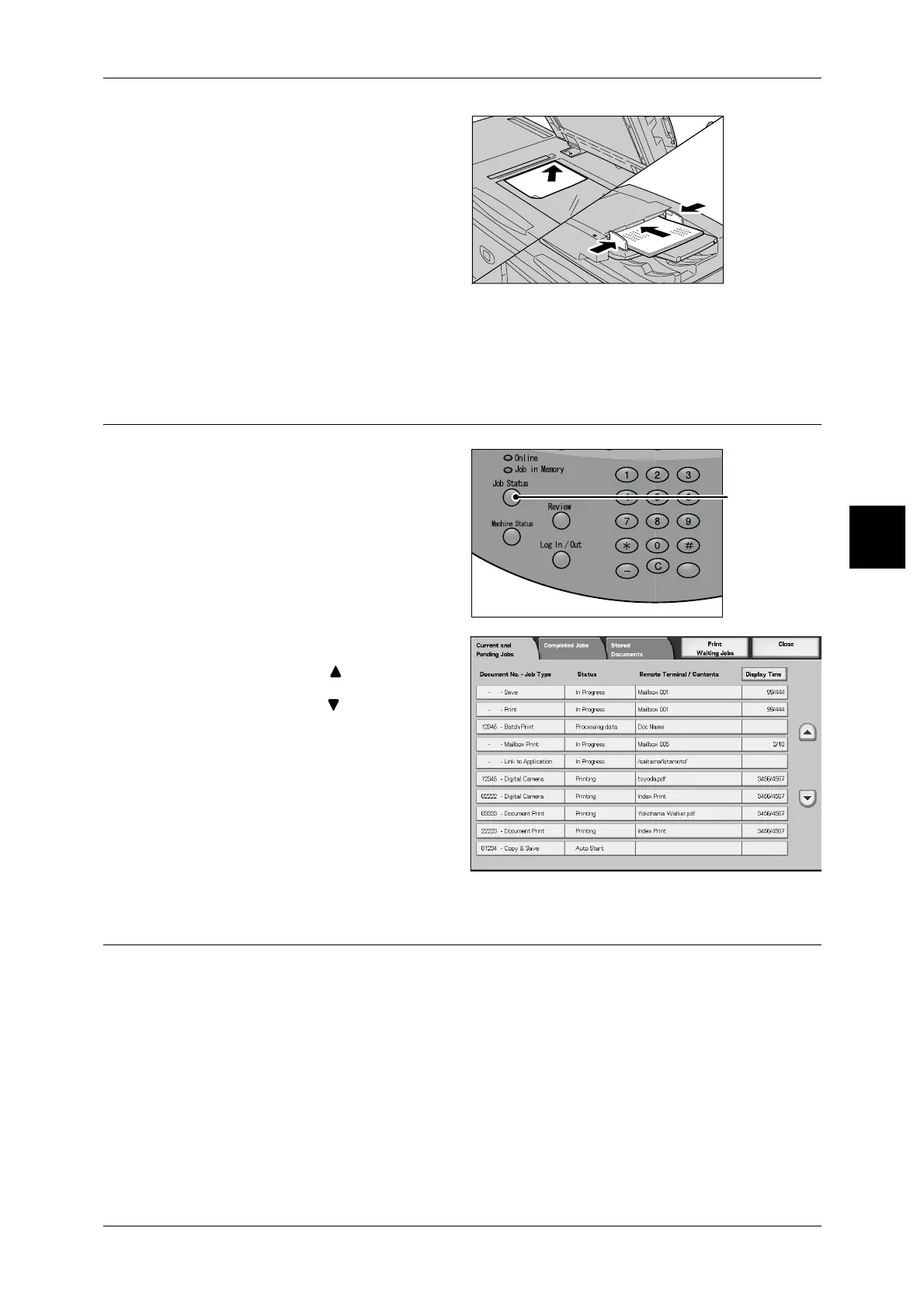
Step4 Confirming the Scan Job in the Job Status
1
Press the <Job Status> button.
2 Check job status.
Note • Select [ ] button to display
the previous screen and
select [ ] button to display
the next screen.
Step5 Saving the Scanned Data
When scanning to mailbox, you import the document that is stored on the machine's
mailbox into your computer. Importing can be done in the following ways:
Import from an Application
Network scan driver is used.
Import using Mailbox Viewer 2.
Fuji Xerox’s application software, Mailbox Viewer 2 is used.
Import using CentreWare Internet Services
CentreWare Internet Services is used.
<Job Status> button



 To Next Page
 Loading...







