6 Problem Solving
86
Problem Solving
6
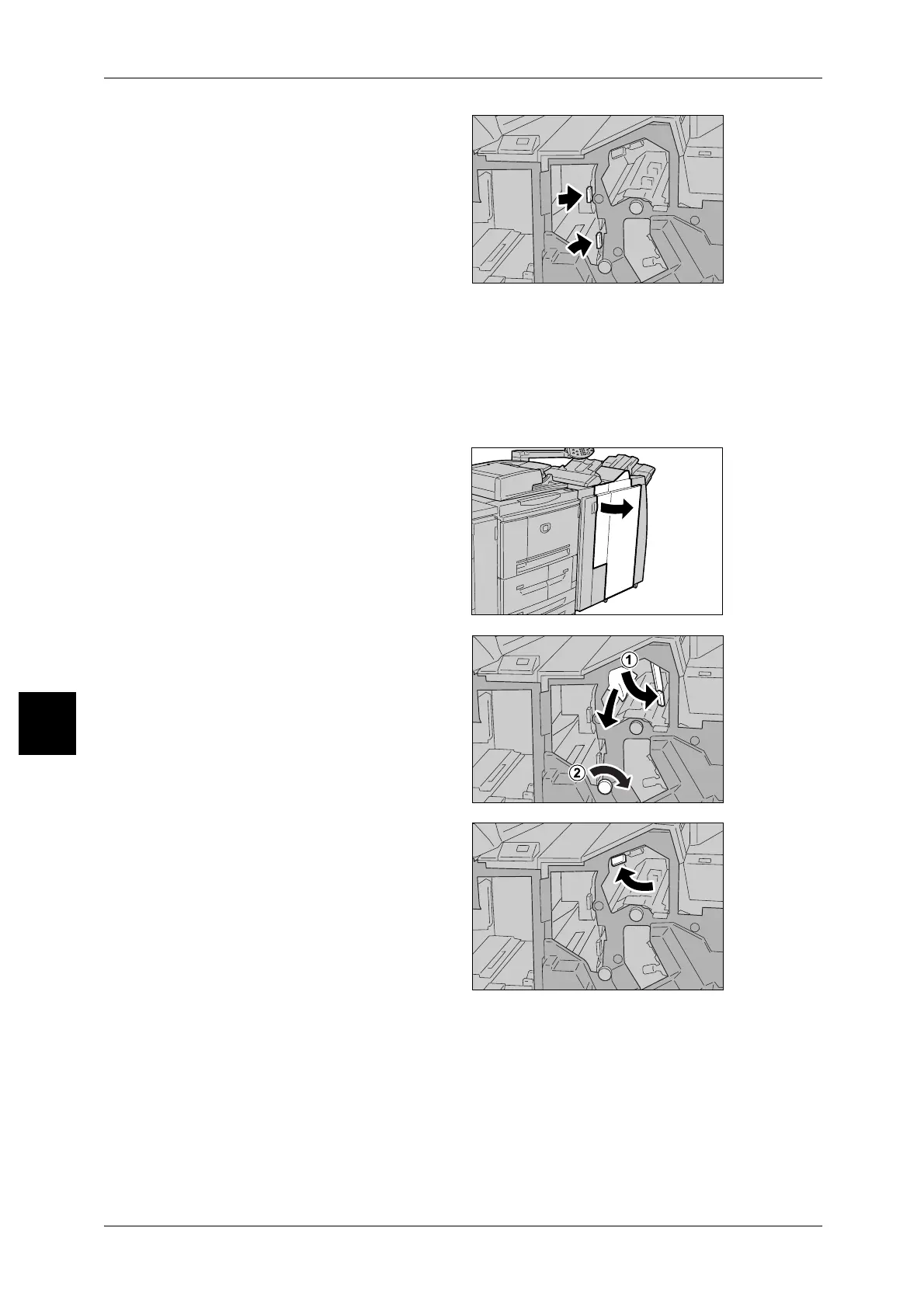
3 Return lever [3b] and [3d] to the
original position.
4 Close the Finisher right cover.
Note • A message will be displayed and the machine will not operate if the Staple Finisher's right
cover is even slightly open.
Paper jams at lever 3e and Knob3c
1 Make sure that the machine has
stopped, and then open the right
cover on the light finisher.
2 Move lever [3e] and turn knob [3c]
to the right. Remove the jammed
paper.
Note • If paper is torn, check for any
torn pieces of paper inside the
machine.
3 Return lever [3e] to the original
position.
4 Close the Finisher right cover.
Note • A message will be displayed and the machine will not operate if the Staple Finisher's right
cover is even slightly open.



 To Next Page
 Loading...







