3
Before Use
Before using the printer, check the following.
Supplied Accessories
• Micro USB cable for charging
(1)
(BOD700)
• User's Guide (1)
• 1 Year Limited Warranty (1)
The battery has not been fully charged at the factory. Be sure
to charge the battery before using the printer.
Notes on Disposing of the Printer
A built-in lithium ion battery is used for this printer�
When you dispose of the printer, follow your local regulations and
dispose of it properly.
For proper disposal in the United States at product end-of-life,
please contact 1-800-800-3854 Option #1 INSTAX.
For proper disposal in Canada at product end-of-life, please
contact 1-800-461-0416.
For proper disposal in Latin America at product end-of-life, please
contact your local FUJIFILM distributor or dealer for disposal
instructions.
Do not attempt to remove the built-in battery. Injury may result.
Read “IMPORTANT SAFETY NOTICE” (Page 13 ) for safety use.
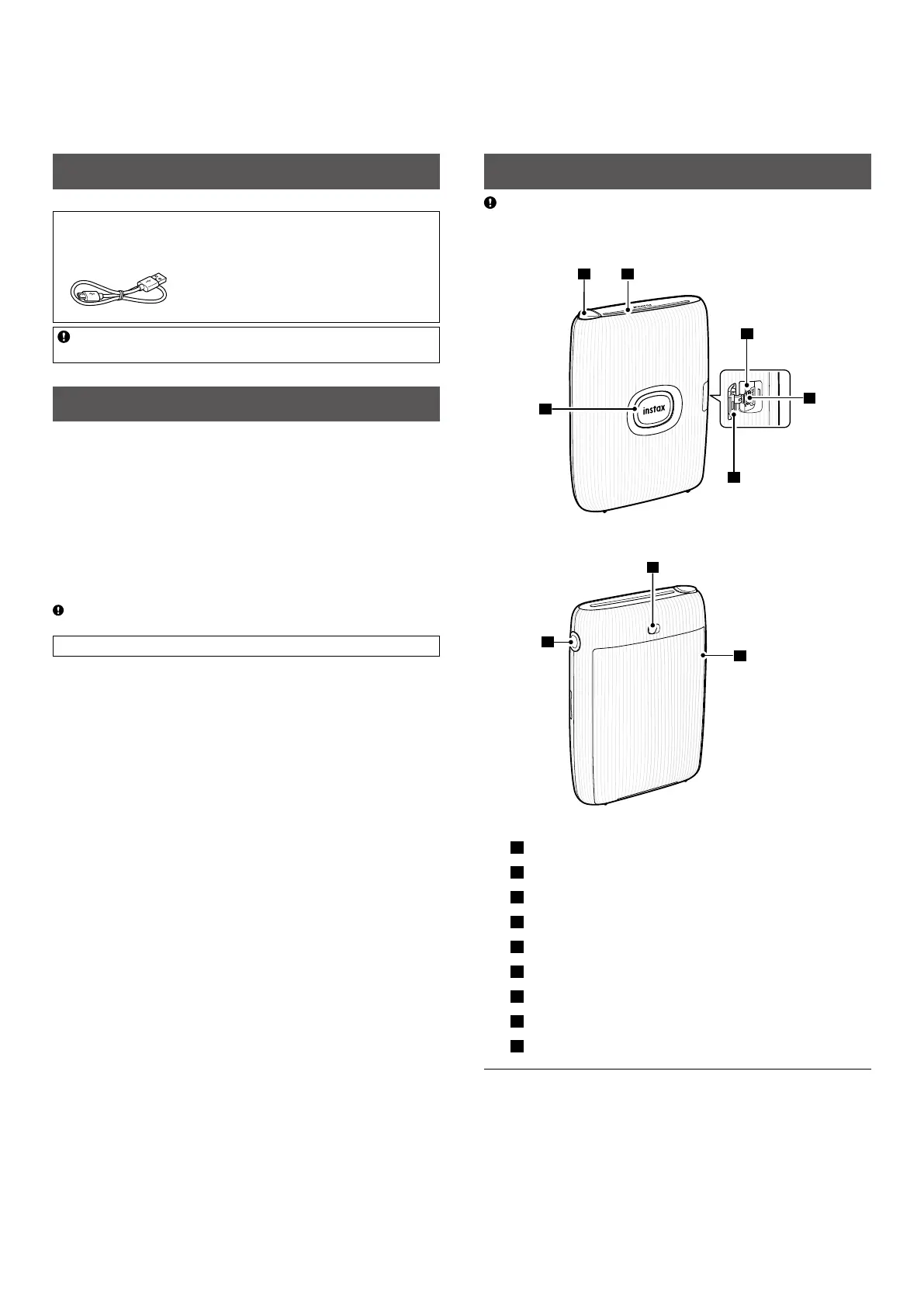
Part Names
Before using the printer for the first time, be sure to fully charge
the battery.
Front
3
4
5
6
Rear
9
8
1
Film ejection slot
2
Feature button
3
Power button/LED
1
4
Micro USB port cover
5
Micro USB port
6
Reset button
2
7
Film door lock
8
Side LED
9
Film door
3
1
For details on LED indication status, see pages 4 and 6.
2
If the printer does not work properly, press the reset button to
reset the printer.
3
Uses INSTAX MINI instant film, sold separately.














 To Next Page