9
When the Printer and Your Smartphone Are Already
Connected
1
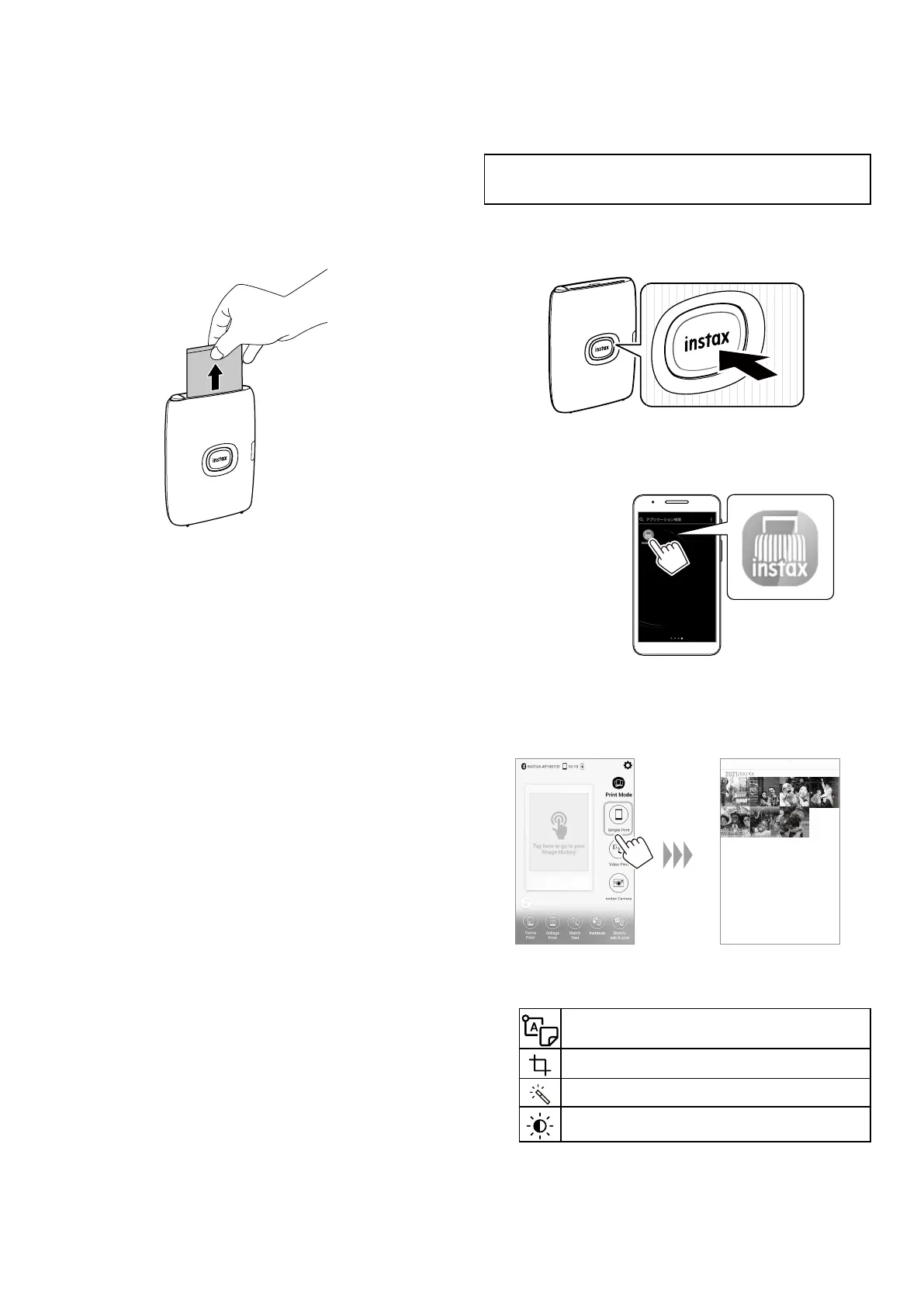
Press and hold the Power button for approximately
1 second to turn the printer on�
The LED lights up.
2
Start the downloaded INSTAX MINI LINK
Smartphone App�
3
To select an image to print, click the Simple Print
button on the home screen and select an image
from your photo roll�
To edit your image, click on the below editing options on
the bottom of the screen before printing�
Enters text or attaches a sticker to images.
Zooms up/down or rotates images.
Applies a filter on images.
Adjusts the brightness of images.
14
When the film has been ejected (the printer stops
making a sound), grasp the edge of the film, then
take it out�
Confirm the number of images remaining in your
INSTAX MINI instant film pack on the Smartphone App
screen.














 To Next Page