8
9
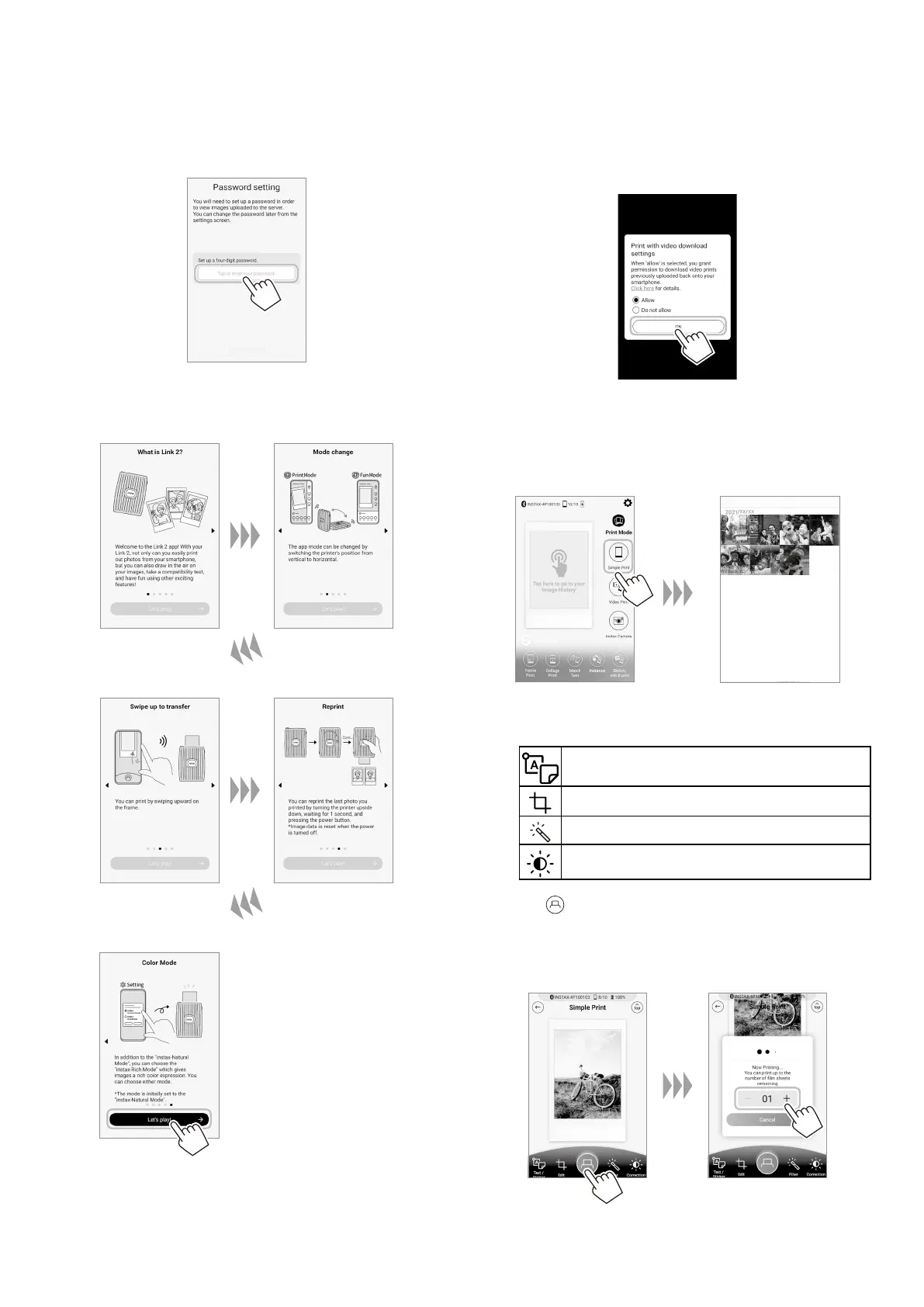
Set up for a four-digit password�
10
Quick instructions are displayed� Read the
instructions and tap [Let’s Play! →]�
11
Set up Print with video download settings and tap
[OK]�
12
You are now ready to use the printer� To select an
image to print, click the Simple Print button on the
home screen and select an image from your photo
roll�
To edit your image, click on the below editing options on
the bottom of the screen before printing�
Enters text or attaches a sticker to images.
Zooms up/down or rotates images.
Applies a filter on images.
Adjusts the brightness of images.
13
Tap or swipe the image up on the screen to print
your image�
After a slight transmission delay, the printer starts printing.
You can also select the number of images to print during
image transfer.














 To Next Page