3.2 Closing down the system
3–8
NOTE
• If the start time for processing solution temperature adjustment is configured in Program Timer Setting, a day
of the week and time to start processing solution temperature adjustment is shown.
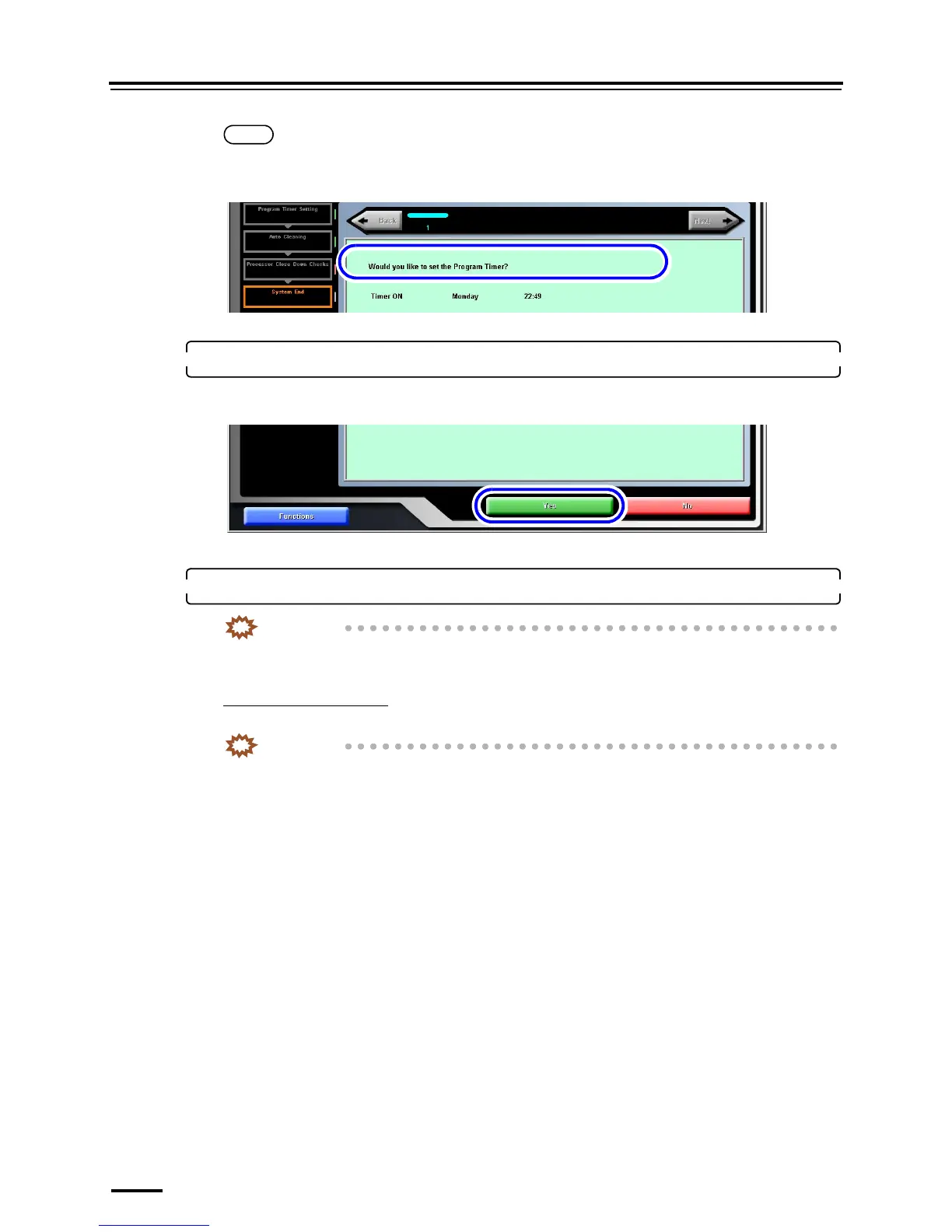
Example: Close Down Checks display
3. Click Yes on the Would you like to set the Program Timer? display.
Backup data is automatically saved.
Close Down Checks display
This exits the Maintenance Application and turns off the system.
4. Close the processor top cover.
IMPORTANT
• If the processor top cover is open, automatic setup or automatic control strip operation cannot be
performed.
For the weekly check day
If upper guides and squeegee unit are removed, slightly open the processor top cover.
IMPORTANT
• If the upper guides and squeegee unit are removed, Daily Setup (automatic setup) or automatic
control strip operation is not performed on the next day even though the Auto Setup setting is set to
ON.
(1) Press the lever, and move the colorimeter unit to the central cutouts of the rails.
Do not press the lever while moving the unit.
When the colorimeter unit comes to the central point of the rails, the lever automatically returns to its
original position and locks the colorimeter unit.
S5305-00-UM00F
S5305-00-UM00F




 To Next Page