6.1 Display module
6–5
6. How to use the display module
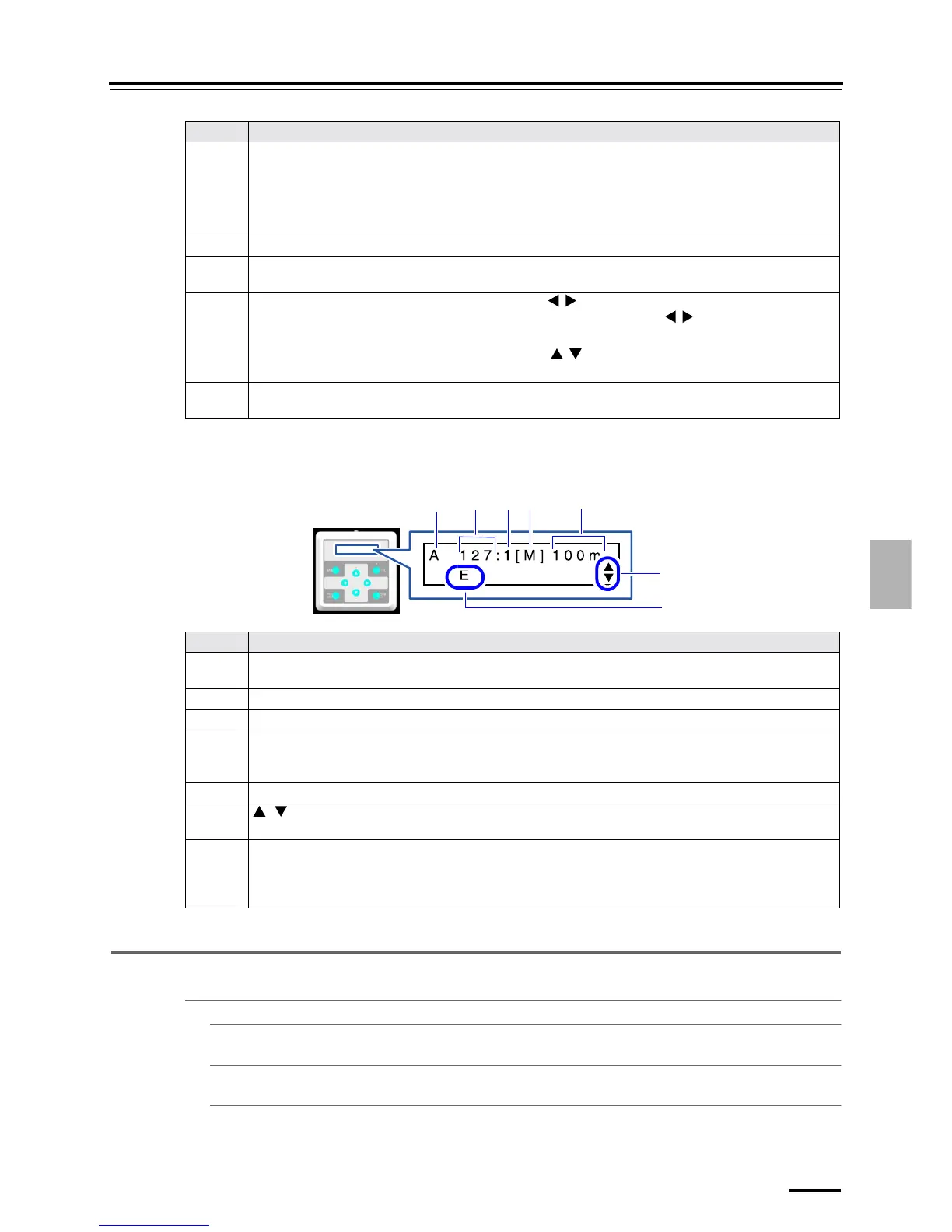
6.1.1.4 Magazine Information display
Press PAPER INFO. to show the information.
When the paper magazine is not installed, the items from No. 2 to No. 6 are not shown.
6.1.2 Mode list
" [MENU]
# START CHECKS
☞6.1.3 Performing the Start Up Checks
# CLOSE CHECKS
☞6.1.4 Performing Close Down Checks
# SETUP
☞6.1.5 Performing the setup
No. Explanation
1 The symbol of attention/error
• I
Attention
• E
Error
2 Attention/Error number
3 Suffix number of attention/error No.
The suffix number may not be shown depending on attention/error.
4 " The rightward and leftward scrollable buttons ( / )
These buttons are shown when the attentions/errors occur. Press the / button to show the next
attention/error.
" The upward and downward scrollable buttons ( / )
These buttons are shown when the corrective action can be selected to clear the attention/error.
5 The attention/error is shown.
Some of the attention/error message may be shortened.
No. Explanation
1 Paper magazine
In the figure above, Paper Magazine A is shown.
2Paper width (mm)
3 Paper surface
4Paper symbol
The shortened symbol of the paper surface notified from the operation PC is shown. If the paper surface is not
notified from the operation PC, this is not shown.
5 Remaining amount of paper (m)
6, buttons
Allows you to change paper magazines to display.
7Paper type
The capital letter of the paper type is shown.
1
6
5
2
3
4
7
G087952




 To Next Page