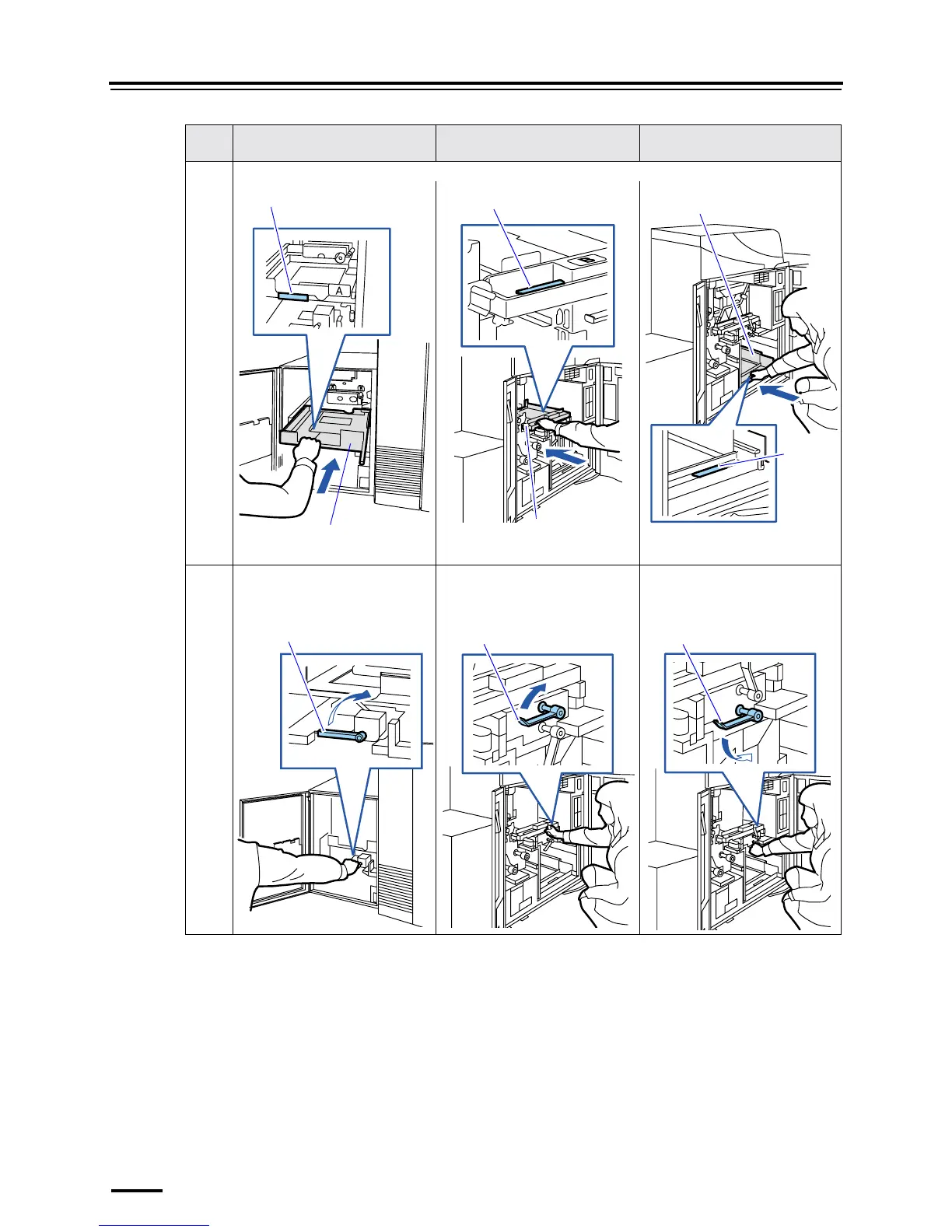
5.2 Installing and removing paper magazines
5–14
7 Hold the handle and put away the magazine deck.
8 Turn the lock lever in the arrow
direction to lock the magazine deck.
Turn the lock lever in the arrow
direction while pushing the
magazine deck to lock it.
Turn the lock lever in the arrow
direction to lock the magazine deck.
Step Paper magazine A
(For the triple magazine unit)
Paper magazine B Paper magazine C
Handle
Paper magazine deck
Handle
Paper magazine deck
Handle
Paper magazine deck
Lock lever Lock lever Lock lever







 To Next Page