21
Basic Photography and Playback
Basic Photography and Playback
Basic Photography and Playback
Taking Photographs
This section explains basic photography.
1
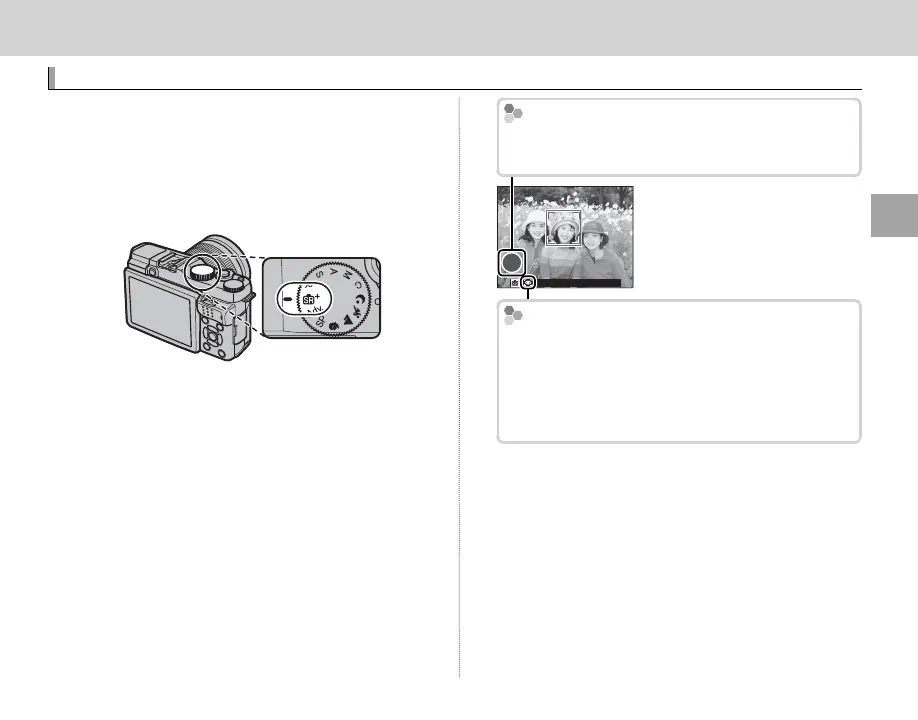
Select S mode.
Rotate the mode dial to S (ADVANCED SR
AUTO). The following information will be dis-
played in the LCD monitor.
Scene Icon
The camera automatically selects the appropriate
scene.
h
The
u
Icon
In S mode, the camera continuously adjusts fo-
cus and searches for eyes, increasing the drain on
the battery; in addition, the sound of the camera
focusing may be audible. u is displayed in the
LCD monitor.
R The Q button can be used to view and adjust
camera settings (P 33).



 To Next Page