24
Viewing Pictures
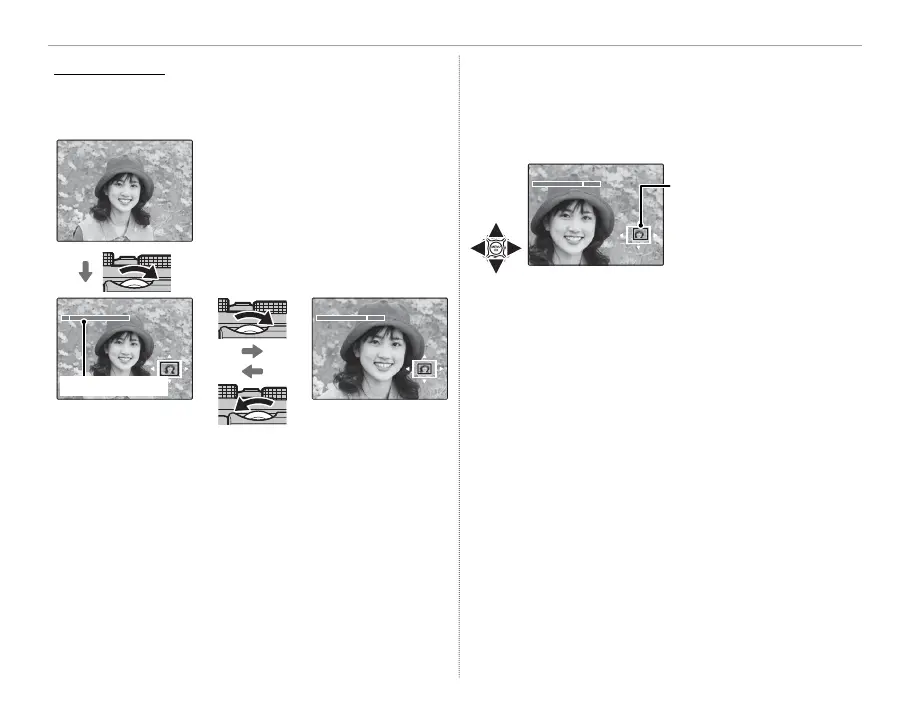
Playback Zoom
Rotate the sub-command dial to zoom in or out
on pictures in full-frame playback.
100-0001
R To display multiple images, ro-
tate the sub-command dial left
when a picture is displayed full
frame.
Zoom indicator
When the picture is zoomed in, the selector can
be used to view areas of the image not currently
visible in the display. To exit zoom, press DISP/BACK,
MENU/OK, or the center of the sub-command dial.
Navigation window shows
portion of image currently
displayed
R The maximum zoom ratio varies with image size
(P 71). Playback zoom is not available with cropped
or resized copies saved at a size of a.



 To Next Page