23
Basic Photography and Playback
Viewing Pictures
Viewing Pictures Full Frame
Viewing Pictures Full Frame
Pictures can be viewed in the LCD monitor. When
taking important pictures, take a test shot and
check the results.
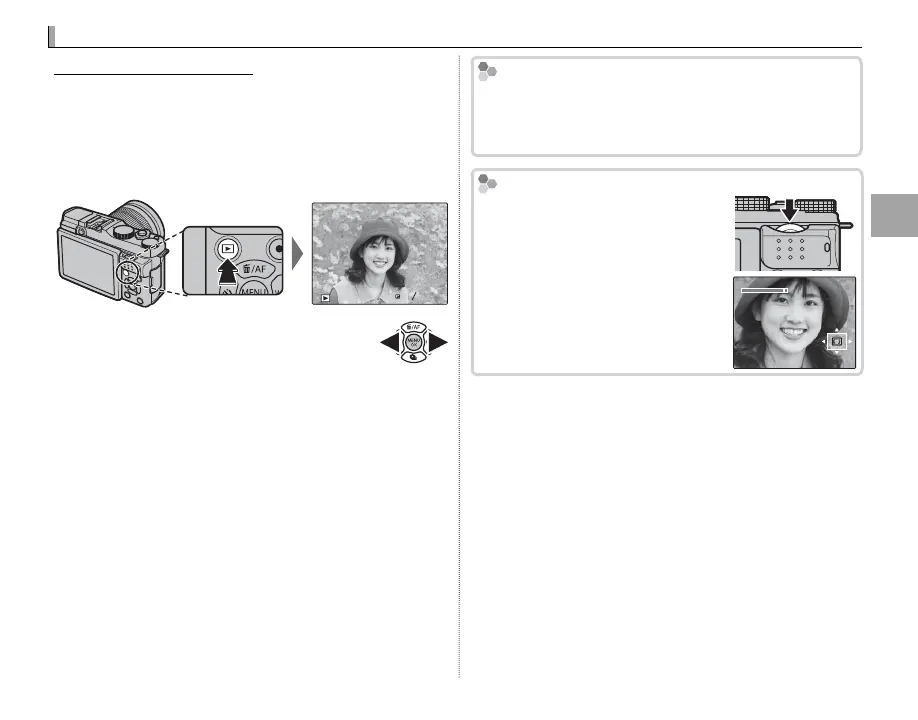
To view pictures full frame, press a.
100-0001
1 / 1000 F
4.
F4. 5
2
3
Additional pictures can be viewed by
pressing the selector left or right or ro-
tating the main command dial. Press
the selector or rotate the dial right to view pic-
tures in the order recorded, left to view pictures in
reverse order. Keep the selector pressed to scroll
rapidly to the desired frame.
R Pictures taken using other cameras are marked with
a m (“gift image”) icon to warn that they may not
display correctly and that playback zoom may not
be available.
Favorites: Rating Pictures
Favorites: Rating Pictures
To rate the current picture, press DISP/BACK and press
the selector up and down to select from zero to ve
stars.
Zooming in on the Focus Point
Zooming in on the Focus Point
Press the center of the sub-com-
mand dial to zoom in on the focus
point. Press the center of the sub-
command dial again to return to
full-frame playback.



 To Next Page