43
More on Photography and Playback
Shooting Mode
Aperture-Priority AE (A)
In this mode, you choose the aperture by rotating the sub-command dial, while the camera
adjusts shutter speed for optimal exposure.
Q If the correct exposure can not be achieved at the selected aperture, the shutter speed
will be displayed in red when the shutter button is pressed halfway. Adjust aperture until
the correct exposure is achieved.
Q If the subject is outside the metering range of the camera, the shutter speed display will
show “– – –”.
F5.6
A
±
0
200
Previewing Depth of Field
Previewing Depth of Field
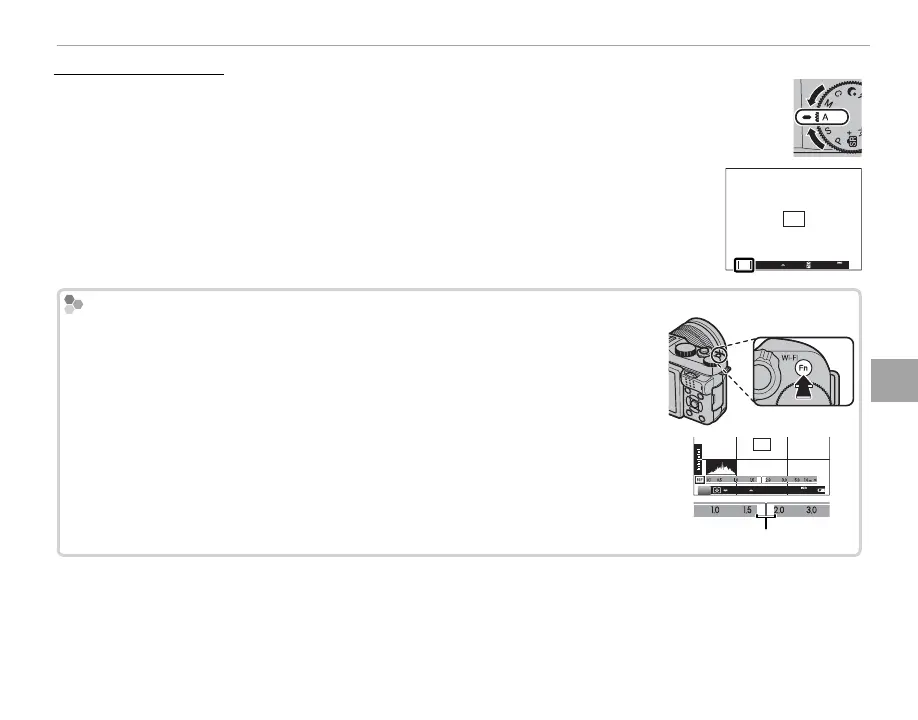
When L PREVIEW DEPTH OF FIELD is selected for F FUNCTION (Fn) SETTING
(P 65) in the shooting menu, pressing the Fn button stops aperture down to the
selected setting, allowing depth of eld to be previewed in the LCD monitor.
Depth of eld can also be previewed using the depth-of- eld indicator in the CUS-
TOM display. Press DISP/BACK to cycle through display modes until CUSTOM indica-
tors are displayed.
M
F5.61000
200
2
1
0
-1
-2
Depth of eld
R For information on the roles of the main and sub-command dials, see page 125.



 To Next Page