74
Using the Menus: Shooting Mode
c
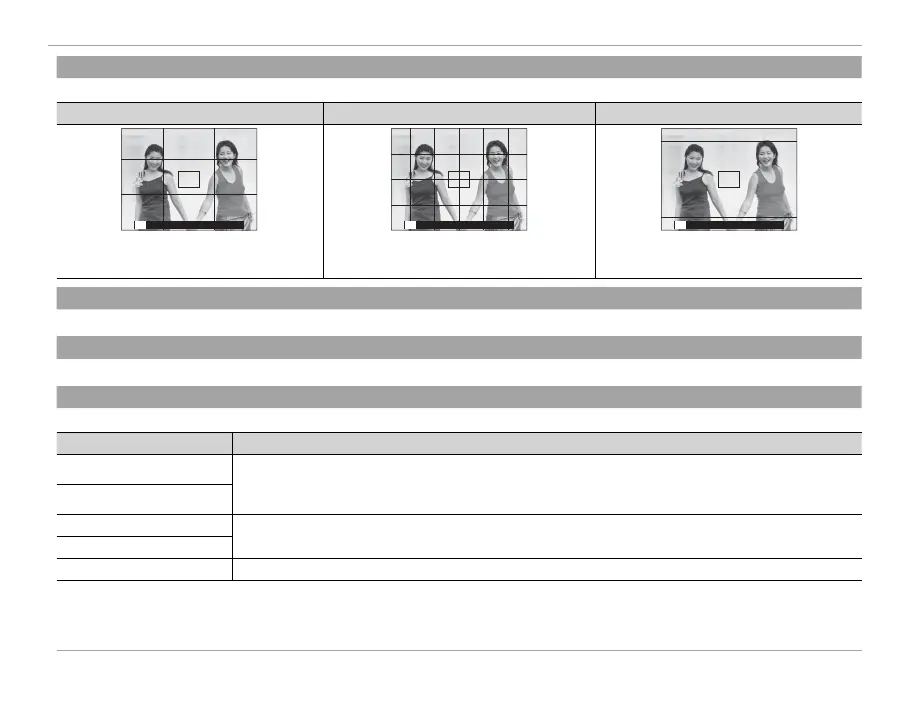
FRAMING GUIDELINE
Choose the type of framing grid available in shooting mode.
F
GRID 9
G
GRID 24
H
HD FRAMING
P P P
For “rule of thirds” composition. A six-by-four grid. Frame HD pictures in the crop shown by the
lines at the top and bottom of the display.
l
MOUNT ADAPTOR SETTING
Adjust settings for M-mount lenses connected using an optional FUJIFILM M MOUNT ADAPTER (P 66).
m
SHOOT WITHOUT LENS
Choose whether shutter release is enabled when no lens is attached.
L
IS MODE
Choose from the following image stabilization options:
Option
Description
L
CONTINUOUS + MOTION
Image stabilization on. If + MOTION is selected, the camera will adjust shutter speed to reduce
motion blur when a moving objects are detected.
l
CONTINUOUS
M
SHOOTING + MOTION
As above, except that image stabilization is performed only when the shutter button is pressed
halfway or the shutter is released.
m
SHOOTING ONLY
OFF Image stabilization o . Choose this option when using a tripod.
R + MOTION has no e ect when sensitivity is set to a xed value, and may also be unavailable at some other combinations of
settings. The e ect may vary with lighting conditions and the speed at which the object is moving.
R IS mode is available only when lens that supports image stabilization is attached.



 To Next Page