34
More on Photography and Playback
More on Photography and Playback
Shooting Mode
Choose a shooting mode according to the scene or type of subject.
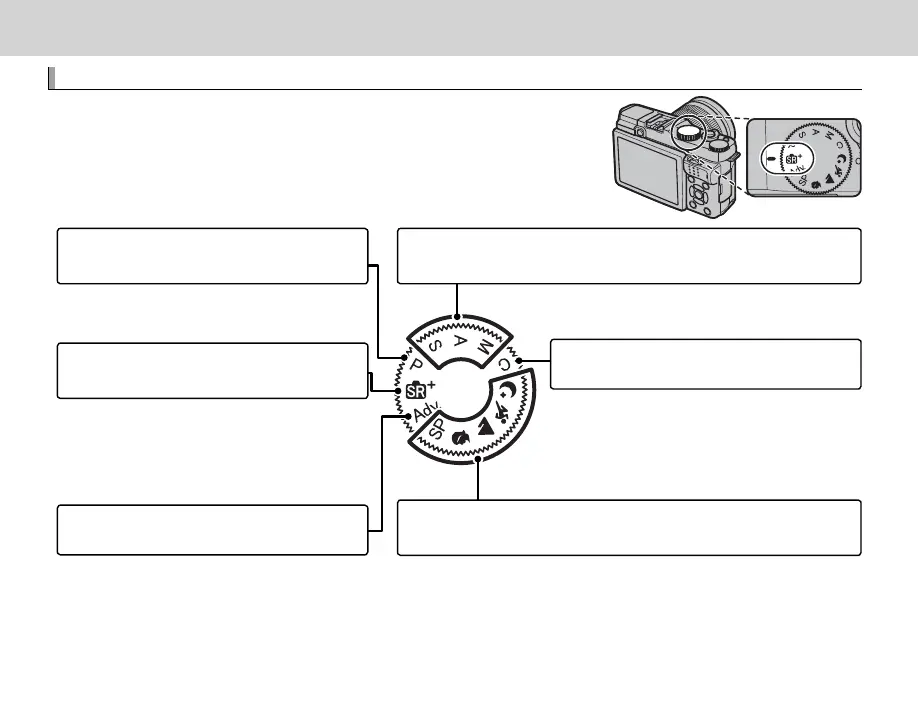
To choose a shooting mode, rotate the mode dial to the desired set-
ting. The following modes are available:
S (ADVANCED SR AUTO): The camera automati-
cally optimizes settings to the scene (P 35).
SP SCENE POSITION/h/M/N/O: Choose a scene suited to the subject or
shooting conditions and let the camera do the rest (P 39).
S, A, M: Select for full control over camera settings, including aperture
(M and A) and/or shutter speed (M and S) (P 42, 43, 44).
P: Aperture and shutter speed can be adjust-
ed using program shift (P 41).
C (CUSTOM): Recall stored settings for modes P,
S, A, and M (P 45).
Adv. (ADVANCED): Sophisticated techniques
made easy (P 36).



 To Next Page