11
Before You Begin
Lenses
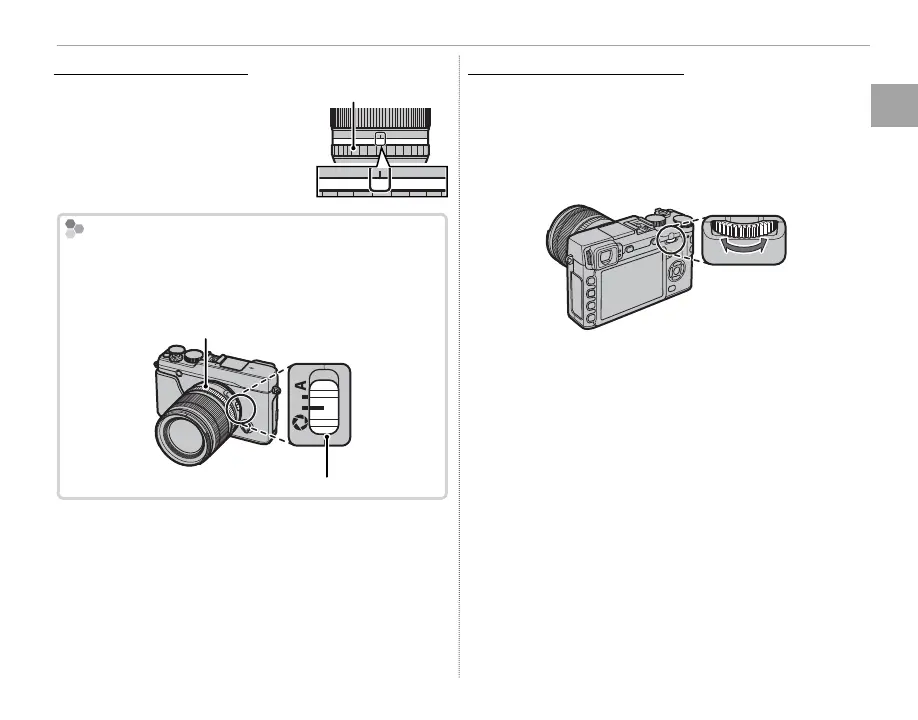
Lenses with Aperture Rings
Lenses with Aperture Rings
At settings other than A, you
can adjust aperture by rotating
the lens aperture ring (expo-
sure modes A and M).
Aperture ring
A161185.64
2.8
The Aperture Mode Switch
If the lens has an aperture mode switch, aperture can
be adjusted manually by sliding the switch to Z and
rotating the aperture ring.
Aperture ring
Aperture mode switch
Lenses with No Aperture Rings
Lenses with No Aperture Rings
The method used to adjust aperture can be se-
lected using the e APERTURE SETTING option
(P 97) in the shooting menu. When an option
other than AUTO is selected, aperture can be ad-
justed using the command dial.
R Selecting S.S for h BUTTON/DIAL SETTING>
COMMAND DIAL SETTING (P 109) allows the
command dial to be used to choose the shut-
ter speed (P 46, 48, 50, 98), the exposure time for
long time-exposures when the shutter-speed dial
is rotated to T (time) (P 53), or, in program AE mode
(mode P), di erent combinations of shutter speed
and aperture (program shift, P 47).
R Assigning COMMAND DIAL SETTING to a func-
tion button makes it easy to switch between shutter
speed and aperture (P 45).



 To Next Page