28
The DISP/BACK Button
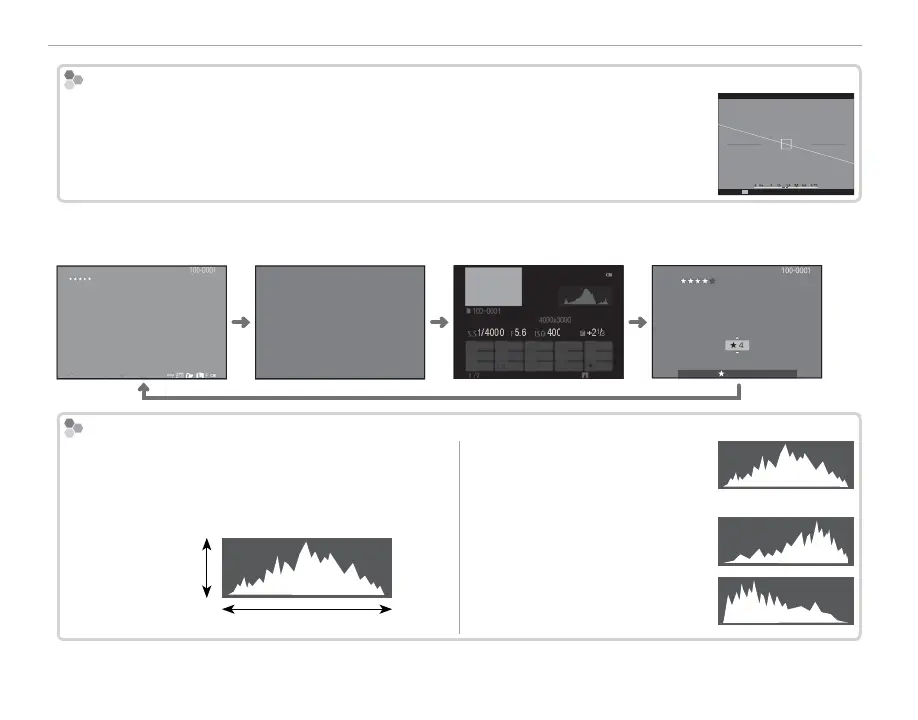
Virtual Horizon
Selecting ELECTRONIC LEVEL displays a virtual horizon. The camera is level when the two
lines overlap.
R The virtual horizon may not be displayed if the camera lens is pointed up or down.
P
■ View nder/LCD Monitor: Playback
Standard Information o Info display Favorites
12/31/2050 10:00 AM
1/4000
+2
1
/
3
400
5.6
12/31/2050 10:00 AM
NEXT
1/4000 5.6 400 +2
1
/
3
12/31/2050 10:00 AM
FAVORITES
Histograms
Histograms show the distribution of tones in the im-
age. Brightness is shown by the horizontal axis, the
number of pixels by the vertical axis.
Shadows Highlights
No. of pixels
Pixel brightness
Optimal exposure: Pixels are distrib-
uted in an even curve through-
out the tone range.
Overexposed: Pixels are clustered
on the right side of the graph.
Underexposed: Pixels are clustered
on the left side of the graph.



 To Next Page