45
Using the Function Buttons
The Fn (Function) Buttons
Assigning Roles to the Function Buttons
Assigning Roles to the Function Buttons
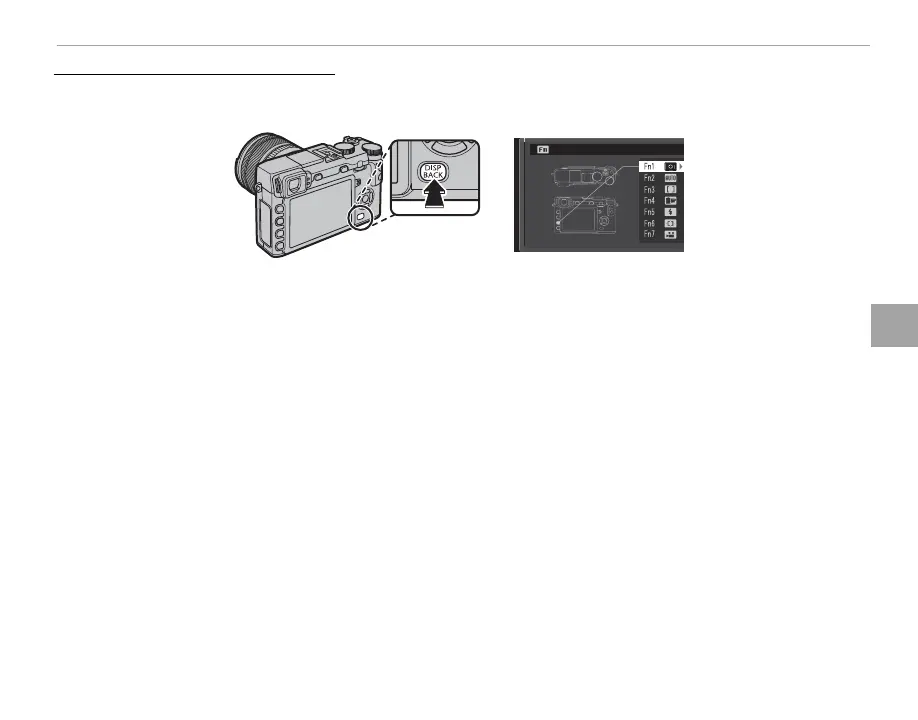
To assign roles to the function buttons, press and hold the DISP/BACK button until the menu below is
displayed. Select buttons to choose their roles.
FUNCTION
(
Fn
)
SETTING
• PREVIEW DEPTH OF FIELD (P 49)
• ISO (P 75)
• SELF-TIMER (P 79)
• IMAGE SIZE (P 93)
• IMAGE QUALITY (P 93)
• DYNAMIC RANGE (P 93)
• FILM SIMULATION (P 59)
• WHITE BALANCE (P 82)
• PHOTOMETRY (P 58)
• AF MODE (P 71)
• FOCUS AREA (P 72)
• FLASH MODE (P 36)
• FLASH COMPENSATION (P 96)
• SELECT CUSTOM SETTING (P 84)
• MOVIE (P 38)
• FACE DETECTION (P 91)
• RAW (P 77)
• APERTURE SETTING (P 97)
• WIRELESS COMMUNICATION (P 117)
• SHUTTER TYPE (P 98)
• PREVIEW EXP. IN MANUAL MODE (P 107)
• PREVIEW PIC. EFFECT (P
108)
• COMMAND DIAL SETTING (P
109
)
• AUTO MODE ON/OFF (P 51)
• EVF/LCD SETTING (P 24)
• NONE
R To disable the selected button, choose NONE.
R You can also display options for any of the function buttons by pressing and holding the button.
R The roles played by the function buttons can also be selected using h BUTTON/DIAL SETTING> FUNCTION
(Fn) SETTING (P 109).



 To Next Page