74
Focus Mode
■ Tracking (Focus Mode C Only)
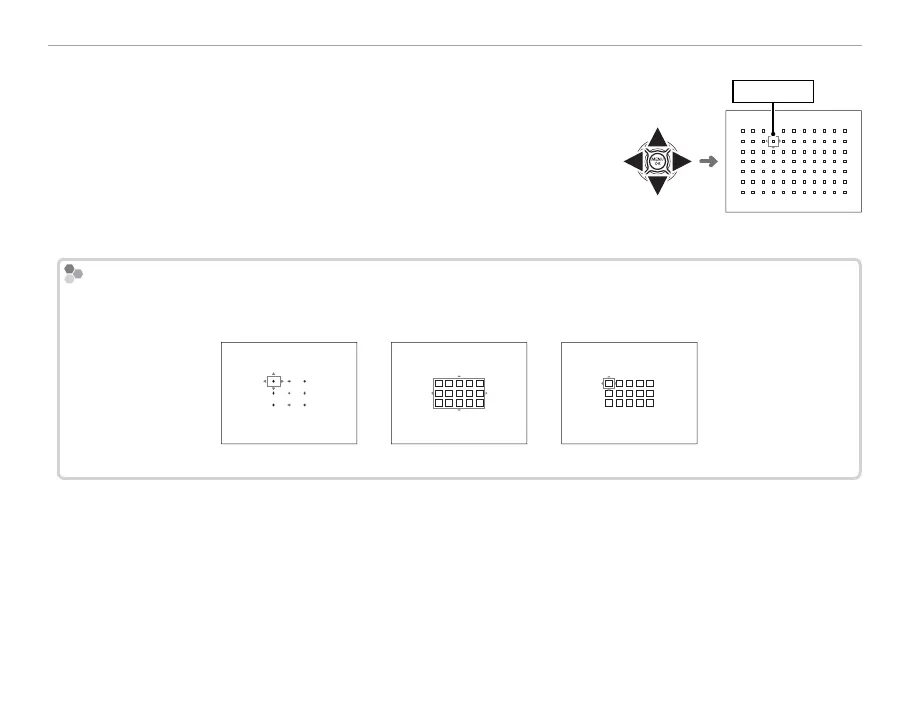
Press the function button (Fn6) to display the focus frame. Use the
selector to position the focus frame, or press DISP/BACK to return the
frame to the center of the display. Press MENU/OK to put your selection
into e ect. The camera will track focus on the subject while the shutter
button is pressed halfway.
Focus frame
Q Manual focus-frame selection is not available when wide/tracking is selected in focus mode S.
Burst Mode Focus-Frame Selection
Burst Mode Focus-Frame Selection
During high-speed burst photography (J), the number of focus frames available in focus mode C drops and the
maximum zone size is restricted to 5 × 3.
Single point Zone Wide/Tracking



 To Next Page