67
More on Photography and Playback
The DRIVE Button
1
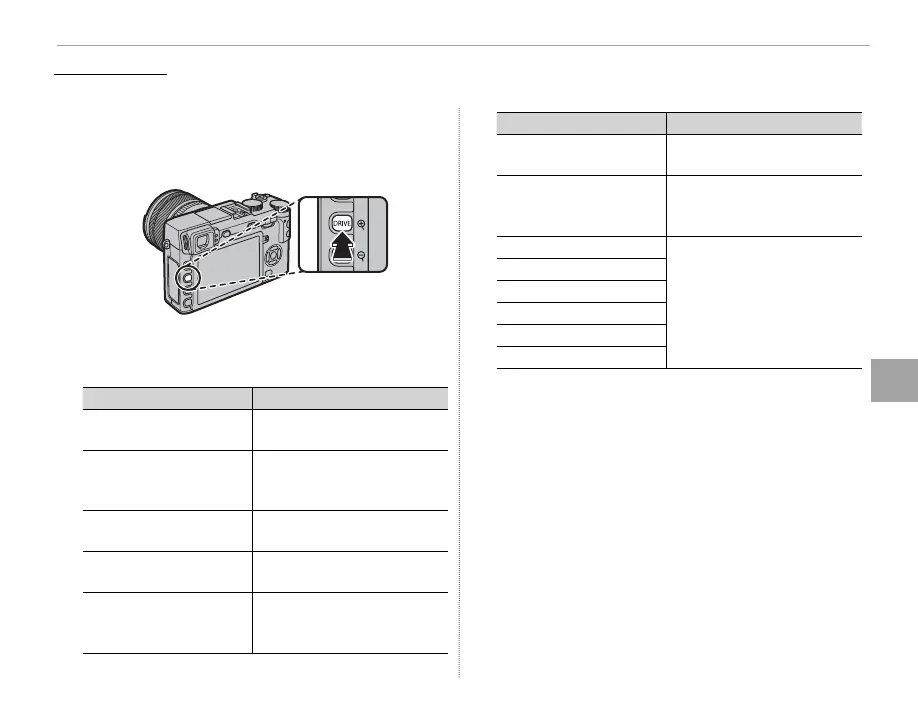
Press the DRIVE button to display drive options.
Press the selector up or down to highlight Y
and press MENU/OK.
2
Choose from the following lters and press
MENU/OK.
Filter
Description
G
TOY CAMERA
Choose for a retro toy camera
e ect.
H
MINIATURE
The tops and bottoms of pic-
tures are blurred for a diorama
e ect.
I
POP COLOR
Create high-contrast images
with saturated colors.
J
HIGH-KEY
Create bright, low-contrast
images.
Z
LOW-KEY
Create uniformly dark tones
with few areas of emphasized
highlights.
Filter
Description
K
DYNAMIC TONE
Dynamic tone expression is
used for a fantasy e ect.
X
SOFT FOCUS
Create a look that is evenly
soft throughout the whole
image.
u
PARTIAL COLOR (RED)
Areas of the image that are
the selected color are record-
ed in that color. All other areas
of the image are recorded in
black-and-white.
v
PARTIAL COLOR (ORANGE)
w
PARTIAL COLOR (YELLOW)
x
PARTIAL COLOR (GREEN)
y
PARTIAL COLOR (BLUE)
z
PARTIAL COLOR (PURPLE)
R Depending on the subject and camera settings, im-
ages may in some cases be grainy or vary in bright-
ness and hue.
Advanced Filter
Take photos with lter e ects.



 To Next Page