EasyManua.ls Logo

FujiFilm X-E2S - The DRIVE Button

FujiFilm X-E2S
172 pages
Print Icon
To Next Page IconTo Next Page
To Previous Page IconTo Previous Page
Loading...
60
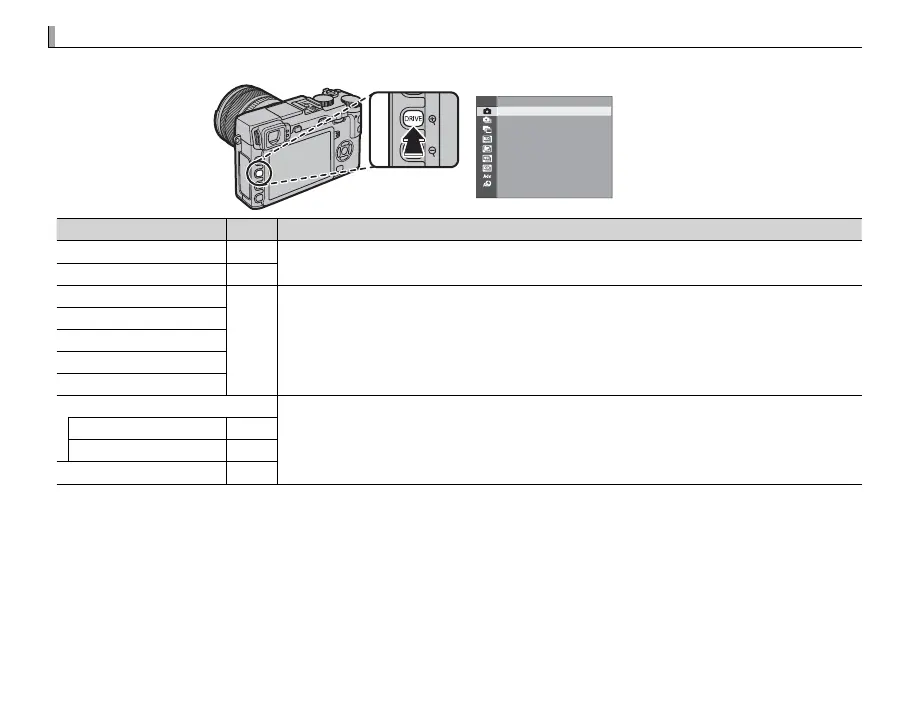
The DRIVE Button
The DRIVE Button
The DRIVE button gives you access to the following options.
STILL IMAGE
Drive mode
Drive mode
P
P
Available in
Available in
B
B
STILL IMAGE
STILL IMAGE
All shooting modes
All shooting modes
I
I
CONTINUOUS
CONTINUOUS
61
61
O
O
AE BKT
AE BKT
62
62
Modes
Modes
P
P
,
,
S
S
,
,
A
A
, and
, and
M
M
W
W
ISO BKT
ISO BKT
X
X
FILM SIMULATION BKT
FILM SIMULATION BKT
H
H
WHITE BALANCE BKT
WHITE BALANCE BKT
Y
Y
DYNAMIC RANGE BKT
DYNAMIC RANGE BKT
Adv. MODE
Adv. MODE
All shooting modes
All shooting modes
(but note that camera functions in auto mode when auto mode is selected)
u
u
MOTION PANORAMA
MOTION PANORAMA
63
63
j
j
MULTIPLE EXPOSURE
MULTIPLE EXPOSURE
66
66
Y
Y
ADVANCED FILTER
ADVANCED FILTER
67
67

Table of Contents

Related product manuals