18
Inserting the Battery and a Memory Card
3
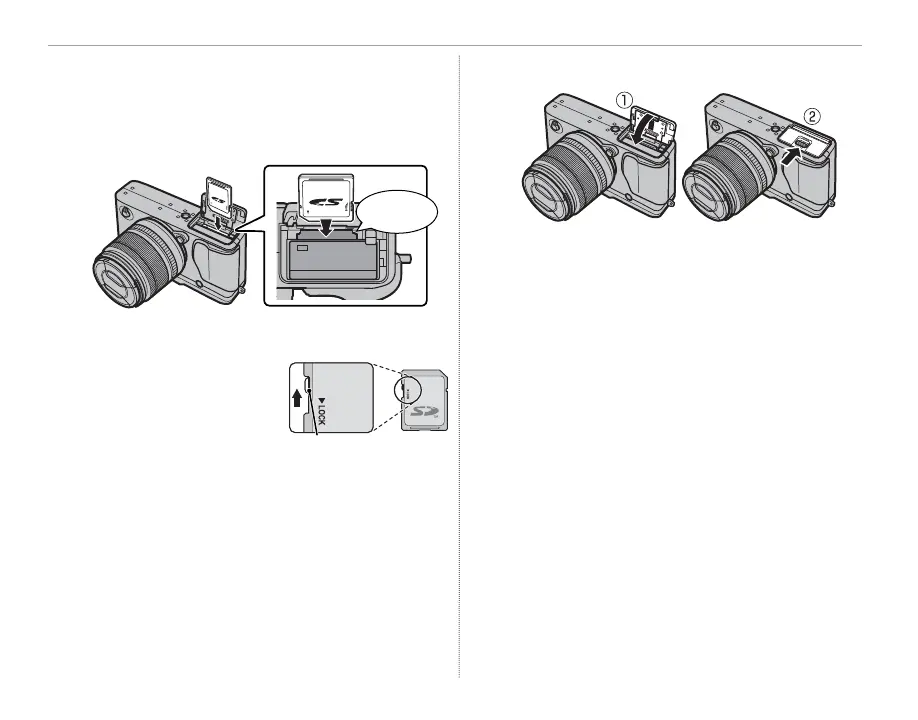
Insert the memory card.
Holding the memory card in the orientation
shown, slide it in until it clicks into place at the
back of the slot.
Click
Q Be sure card is in the correct orientation; do not
insert at an angle or use force.
Q SD/SDHC/SDXC memo-
ry cards can be locked,
making it impossible to
format the card or to
record or delete images.
Before inserting a memory card, slide the write-
protect switch to the unlocked position.
4
Close the battery-chamber cover.
Write-protect switch



 To Next Page