Working with t he notebook
7
7
/
{
/
7
7
{
/
7
7
{
/
7
7
{
/
7
7
{
+
+
+
+
Fn
Num
Alt Gr
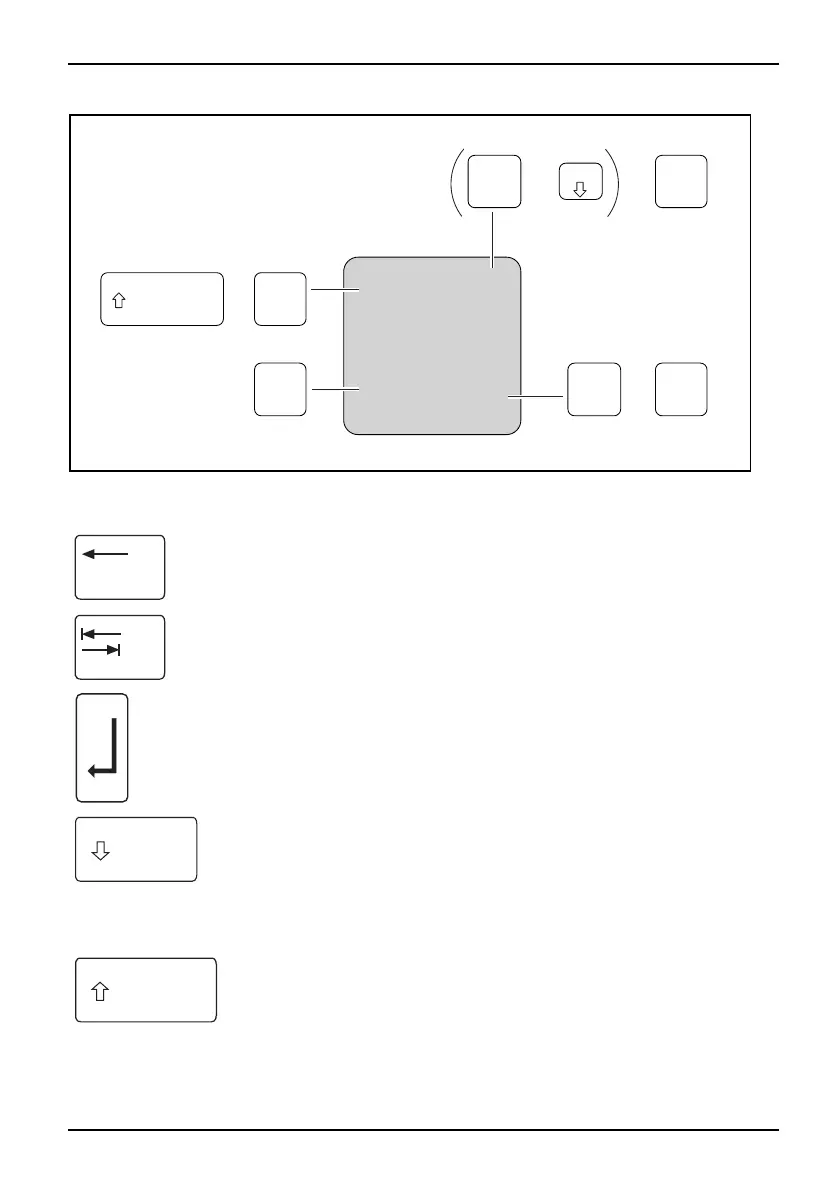
Illustration (general example of German keyboard layout)
Backspace key
The Backspace key deletes the cha racter to the left of the c ursor.
BackspaceB ackspace
Tab key
The Tab key moves the cursor to t he next tab stop.
Tabkey
Enter key (return)
The Enter key terminates a command line. The command you have entered
is executed when you press this key.
EnterkeyReturnEnterLinefeed
Caps Lock key
The Caps Lock key activates the Caps Lock mode, and the corresponding
icon is displayed in the Windows information area. In Caps Lock mode, all
of the characters you type appear i n upper c ase. In the case of overlay
keys, the character printed on the upper left of the key will appear when
that key is pressed. To cance l the Caps Lock fu nction, simply press the
Caps Lock key again.
ShiftkeyCapsLock
Shift key
The Shift key causes uppercase characters to appear. In the case of overlay
keys, the character printed on the upper left of the key appears when that
keyispressed.
Shi
ftkey
Shi
ft
A26391-K90-Z200-1-7619, edition 1 17





 To Next Page