Working with the notebook
Removing and installing the battery
Only use rechargeable batteries approved by Fujitsu Technology
Solutions for your notebook.
Never use force when fitting or removing a battery.
Make sure that no foreign bodies get into the battery connection s.
► Switch off your notebook and disconnect the power plug from the mains socket.
Battery
► Close the LCD screen so that it loc
ks into place.
► Disconnect all cables connected to the notebook.
► Turn your notebook over and place i
tonastable,sturdy,flat surface. If necessary, lay a
non-slip cloth on this surface to p
revent the notebook from being scratched.
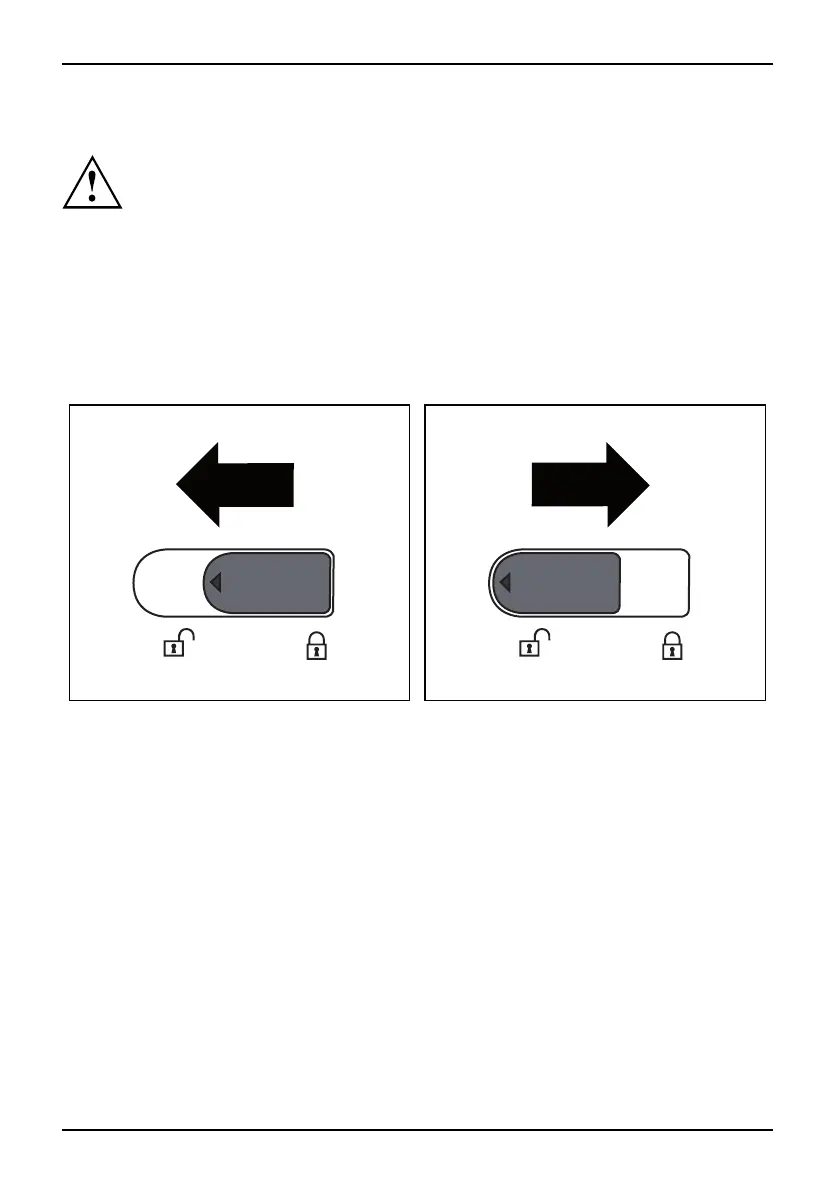
Positions of t he battery locks:
The battery is released. The battery is locked.
30 A26391-K90-Z200-1-7619, edition 1






 To Next Page